How VPN Services Work in Everyday Use
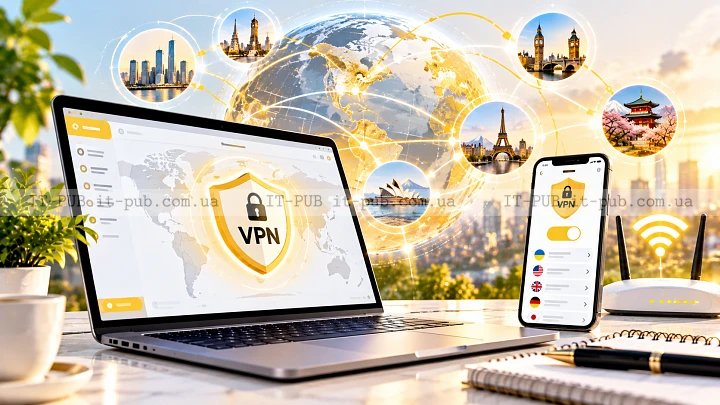
People usually turn to a VPN for one of three reasons: they want more privacy, they need a safer way to use public Wi-Fi, or they want access to a private network from somewhere else. It can sound technical at first, but the core idea is fairly simple. A VPN creates a protected tunnel between your device and a VPN server, and your traffic passes through that tunnel instead of going out directly.
That does not make you invisible online. What it does change is how your traffic is routed and who can easily inspect it. That distinction matters, and it is the starting point for understanding how VPN services work.
What a VPN actually does
A VPN, or virtual private network, creates a secure internet connection over the public internet. Instead of your device connecting straight to a website or online service, it first connects to a VPN server. That server then forwards the traffic on your behalf.
Two things change when that happens. First, the traffic between your device and the VPN server is protected with VPN encryption. Second, the sites you visit will usually see the VPN server’s IP address rather than your own. That is why VPNs are often associated with privacy and IP address masking.
The word “private” can be a little misleading if you take it too far. A VPN does not make the whole internet private. What it really protects is the path between your device and the provider’s server. After that, the traffic still moves across the wider internet, where other security protections still matter.
How the tunnel works in plain language
One useful way to picture a VPN connection is as a sealed envelope moving through a larger mail system. Your device places data into that envelope, locks it, and sends it to the VPN server. Anyone watching the network along the way can tell data is being sent, but reading the contents is much harder.
The VPN server receives that traffic, opens it, and sends the request on to the destination site. When the response comes back, the server encrypts it again before sending it back to you. All of this happens quickly, so in everyday use most people only notice that the connection feels a bit different.
That tunnel is especially useful because it separates your local network from the services you use online. On public Wi-Fi, for example, it can reduce the chance that someone nearby can snoop on your traffic.
Why encryption matters
VPN encryption is one of the main reasons these services are useful. Encryption turns readable data into coded data that should be difficult to understand without the right key. If someone intercepts that traffic, the contents should not be easy to make sense of.
That matters in a few common situations. Public hotspots are not always well secured. Internet providers may be able to see parts of your connection metadata. Local network administrators can also observe certain traffic patterns. Encryption limits how much outside parties can learn from the connection itself.
Still, it helps to keep expectations realistic. Encryption protects data in transit. It does not protect data already stored on your device, and it does not undo information you choose to give a website. If you sign in to an account, that service still knows who you are. A VPN does not erase that identity.
What changes when your IP address is hidden
An IP address is a network identifier used to route traffic. It can reveal an approximate location, and websites often use it to determine where a request appears to come from. When you use a VPN, the destination site will usually see the VPN server’s address instead of yours.
That can improve privacy because your own address is no longer directly exposed to every site you visit. It can also help with some location-based restrictions, though that is not the only reason to use a VPN and often not the most important one.
At the same time, IP address masking is not the same thing as full anonymity. Websites can still identify people through account logins, browser fingerprints, cookies, and other signals. A VPN is one layer of protection. It is not a universal shield.
Why VPNs are useful on public Wi-Fi
Public Wi-Fi is convenient, but it is not always something you should trust. Open networks in cafés, airports, hotels, and similar places can expose traffic to other people on the same network if protections are weak or missing. Even when the hotspot is legitimate, the environment itself can still be risky.
A VPN helps by encrypting traffic between your device and the VPN server. That makes it much harder for someone on the same network to read what you are doing online. It is especially useful when checking email, signing in to accounts, or working with documents away from home or the office.
But a VPN does not solve every problem on public Wi-Fi. A fake hotspot can still trick users. A compromised device is still compromised. Phishing pages still work if you trust them. The secure internet connection a VPN gives you is valuable, but basic caution still matters.
How a VPN supports remote access
VPNs are not only about personal privacy. Many organizations use them to give employees secure access to internal systems when they are outside the office. This is commonly known as a remote access VPN.
In that setup, the VPN acts as a controlled gateway into a private network. Instead of exposing internal tools directly to the internet, the organization allows access through the VPN and applies its security rules there. That makes it easier to manage who can reach sensitive systems.
For the person using it, the experience is usually simple enough. Connect to the VPN, then open internal tools much as you would on the company network. Behind the scenes, authentication, encryption, and routing are doing the hard work.
What a VPN can and cannot protect
A VPN improves privacy and security in specific ways, but it is not a cure-all. It can hide your IP address from the sites you visit, protect traffic on untrusted networks, and help organizations manage remote access.
It cannot protect you from every online threat. If you download malware, a VPN will not make that file safe. If you type your password into a fake login page, encryption will not rescue you. If a service already knows who you are because you signed in, the VPN does not change that.
That is why a VPN works best as one part of a broader security setup. Strong passwords, multi-factor authentication, software updates, and careful browsing are still important.
Free VPNs and paid VPNs are not the same thing
A lot of people start by looking for a free VPN because it seems like the easiest option. Some free services may be acceptable for limited use, but they often come with trade-offs. Those trade-offs can include lower speeds, data caps, fewer server options, weaker support, or more intrusive advertising.
A paid service is not automatically better in every way, but it usually has more resources to invest in infrastructure, support, and security features. The more important question is not simply whether the service is free or paid. It is whether the provider is clear about how it handles traffic, logs, and account data.
That point matters because when you use a VPN, you are shifting trust. Instead of relying only on your internet provider or local network, you are also trusting the VPN provider. A virtual private network can improve privacy, but choosing the provider carefully is part of the deal.
How to judge a VPN service without the hype
A trustworthy VPN should be easy to understand. Its privacy policy should be readable, and its real behavior should match its marketing. You do not need to be a network engineer to evaluate the basics.
Look for clear explanations of what the service logs and why. Check whether it supports modern security practices. See whether it offers stable performance and enough server locations for your needs. If a provider is vague about its policies or makes sweeping promises about anonymity, that is a reason to be cautious.
It also helps to think about what you actually need. Someone who only wants safer browsing on hotel Wi-Fi is solving a different problem from a company that needs reliable remote access for a distributed team. The right service depends on the job.
Why speed can change when you use a VPN
A VPN adds another step to the path your traffic takes. Instead of going straight to the destination, it first travels to the VPN server. That extra routing can add some delay, and encryption also requires processing.
In real use, the impact can vary quite a bit. A nearby server on a strong network may feel fast and stable. A distant server or an overloaded one may feel noticeably slower. The provider’s infrastructure makes a big difference here.
That is why some users switch servers when performance drops. It is also why services that look similar on paper can feel very different in practice. A good VPN tries to balance security with usable speed.
Split tunneling and other practical features
Some VPN services include features that make them easier to live with day to day. One common example is split tunneling, which lets some traffic go through the VPN while other traffic goes out normally. That can be useful if you want one app protected while keeping other traffic local.
Other services may offer automatic connection on untrusted networks, kill switches, or support for multiple devices. A kill switch is especially practical because it can block traffic if the VPN connection drops unexpectedly. That helps prevent your real IP address from being exposed by accident.
Not everyone needs these features. Still, they can make a VPN much more practical. The best setup is usually the one that fits your habits without becoming annoying to use.
Common misunderstandings about VPNs
One of the most common myths is that a VPN makes you completely anonymous. It does not. Websites can still recognize you through accounts, cookies, device signals, and patterns in how you use them.
Another misunderstanding is that a VPN alone guarantees safety. It improves network privacy, but it does not replace basic security habits. If your device is compromised, a VPN does not cancel that out.
There is also a tendency to assume all VPNs work the same way. They do not. The underlying idea is similar, but performance, reliability, and privacy practices can vary a lot from one service to another.
When you should use a VPN
A VPN is especially useful when you want to protect traffic on public Wi-Fi, connect to a private work network, or reduce how widely your IP address is exposed. It can also make sense if you simply want a more private connection path in general.
At home, the need may feel less urgent, but that does not mean a VPN has no value there. Some people keep it on most of the time. Others use it only in situations that feel higher risk. Both approaches can make sense.
The main thing is to match the tool to the situation. A VPN is most useful when the network itself is less trustworthy or when controlled access to private resources matters.
The practical takeaway
At a basic level, how VPN services work is straightforward: they create an encrypted tunnel between your device and a VPN server, then route your traffic through that server. That helps protect data in transit, supports IP address masking, and makes risky networks safer to use.
What a VPN does not do is make you invisible or immune to scams, malware, or account misuse. It is one layer of protection, not the whole system. Used with realistic expectations, though, it remains one of the most practical tools for building a more secure internet connection.