macOS 27 gives Siri a bigger role on the Mac
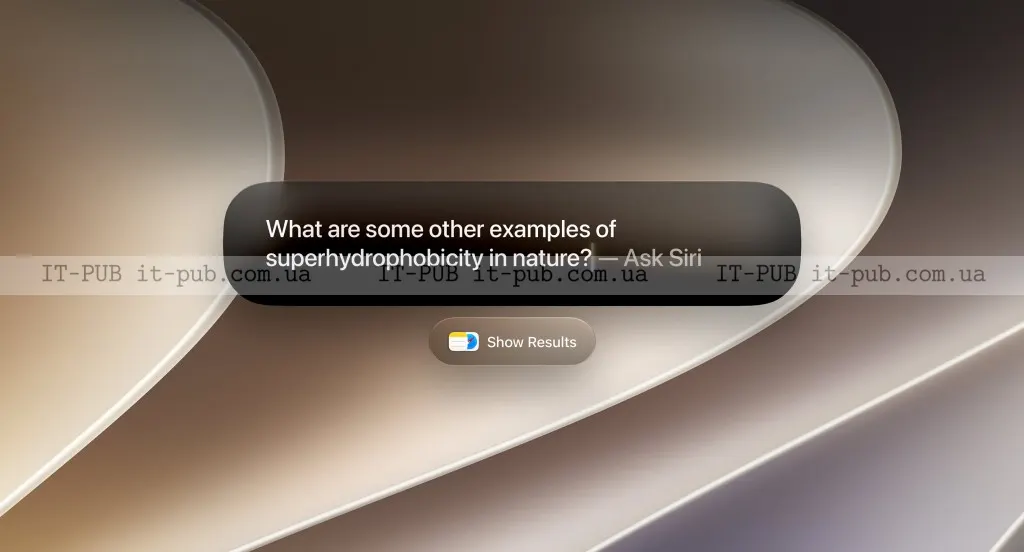
Apple’s macOS 27 Golden Gate puts Siri deeper into search, writing, and on-screen tasks, while adding design updates and new safety tools.
macOS 27 Golden Gate puts Siri at the center of Apple’s latest Mac update, giving the assistant more ways to work with what is on screen and inside the system. The shift matters because Apple is moving the Mac closer to the AI productivity tools already showing up in browsers and third-party apps. It also brings interface changes that make windows and icons feel more consistent. At the same time, the update revives a familiar question: how much context an assistant should be able to access.
Siri now works with what is on your screen
Apple says the new Siri on Mac has the same features and capabilities as on iOS 27, but the desktop gives it a different kind of context. That is the core change. Siri is no longer limited to voice commands for simple tasks — it can now be called up anywhere on the screen and respond to what it sees.
Users can ask it to explain content, summarize information, or provide more detail based on the active window or page. Apple gives the example of someone viewing a product and asking Siri to show alternative options. The goal is to make the assistant more useful in everyday tasks, especially when browsing, comparing items, or working through information on a larger screen.
The update also reflects a broader software shift. Over the past few years, browsers and apps have tried to learn more about what users are doing so they can answer questions in context. Many browsers outside Safari now include sidebar AI assistants that can inspect one or more tabs. Apps such as Highlight, Caddy, and Littlebird can also use the current window as context. Apple is now bringing a similar approach into the Mac itself.
Visual Intelligence adds more precise controls
macOS 27 does not just let Siri look at a whole window. Apple’s new Visual Intelligence features also let users narrow the assistant’s focus.
By pressing Command + Shift + Space, users can add the currently focused window to the AI’s context. A separate shortcut, Command + Shift + 6, brings up a crosshair selection tool so a person can choose a specific part of the screen. After that, they can ask a question or run an image search based on the selected area.
Apple also ties shortcuts to that workflow. Depending on the selection, the system can suggest actions such as “Select,” “Add to Contact,” and “Look up Location.” That makes the feature feel less like a general chatbot and more like a tool built into the Mac’s regular interface.
The practical value is straightforward: users do not need to copy and paste as much information into another app, and they can ask questions about what they are already viewing. But the feature also depends on Siri having access to more screen content, which may make some people more cautious about how they use it.
Spotlight turns into a bigger Siri entry point
Apple has also expanded Spotlight Search, turning it into a more flexible entry point for Siri and for system-level actions. Users can now ask Siri questions directly inside Spotlight and receive answers from the web.
Spotlight can also search within specific categories of context. Apple says users can choose Applications, Files, Actions, and Clipboard, which should make it easier to find the right item without digging through unrelated results. It also now supports running Shortcuts and checking recent search history.
Because Siri can access files, emails, and messages, the search experience can go beyond standard file lookup. According to IT-PUB News, testing described in the source showed the assistant surfacing membership IDs without opening files, providing details about an upcoming trip, and finding the embargo date for a news story in progress. The source also says Spotlight still does not match Raycast, a more extensible Mac productivity tool, but is much better than before.
For many users, this may be where the update feels most practical. Search is one of the most common things people do on a computer, and even small improvements can save time. But here too, the usefulness depends on Siri having broader access to personal information.
Writing tools and Safari tracking extend the AI push
macOS 27 also brings Siri into writing tasks. Users can select a block of text and ask the assistant to proofread it, improve it, or rewrite it. They can also ask Siri to draft something inside any text box.
The source notes that the Mac is a more natural place for this kind of tool than the iPhone, since desktop users are more likely to work on longer text. The feature is aimed at people drafting emails, notes, or other documents who want quick editing help without switching apps.
Safari is getting AI-powered page tracking as well. Apple says this can help users watch for price drops, privacy policy changes, or new blog posts on pages that do not offer RSS support. Safari can also organize tabs by topic, which should help keep related pages together.
Another smaller but useful change is that when a file is downloaded or renamed, the system can suggest a name based on context in Finder or while saving a document. It is a modest addition, but it fits the same pattern: the system is trying to anticipate what the user is doing and cut down on manual steps.
Design changes and extra tools round out macOS 27
Beyond Siri and search, macOS 27 Golden Gate introduces visual changes tied to Apple’s Liquid Glass design. The update adds new Liquid Glass icons, an adjustable slider for the Liquid Glass look, and a better way to “diffuse” content when moving windows around.
Apple says app windows now have a more consistent corner radius. Sidebars stretch edge to edge and use new colorful icons, while active windows are highlighted more clearly. These changes are not as dramatic as the AI features, but they will shape how the operating system feels in daily use.
The update also adds enhanced child safety controls, shared cross-platform photo albums, an updated eraser, better search in email, app resizing for iPhone mirroring, and quick suggestions for adding events to the calendar. Together, the additions show Apple using this release to touch both the interface and several everyday tasks.
macOS 27 Golden Gate is available starting today for MacBook Air and MacBook Pro 2020 versions with Apple Silicon or later, iMac with Apple Silicon from 2021 or later, Mac Mini from 2020 or later, Mac Studio from 2022 or later, Mac Pro from 2023 or later, and MacBook Neo. Users can install it through System Settings > General > Software Update.
The main story here is not simply that Siri is getting smarter. Apple is trying to make the Mac a place where AI can work more directly with files, pages, messages, and text. That could speed up everyday tasks, but it also puts more weight on how much context users are willing to let the assistant see.