How Wi-Fi Works at Home and on the Go
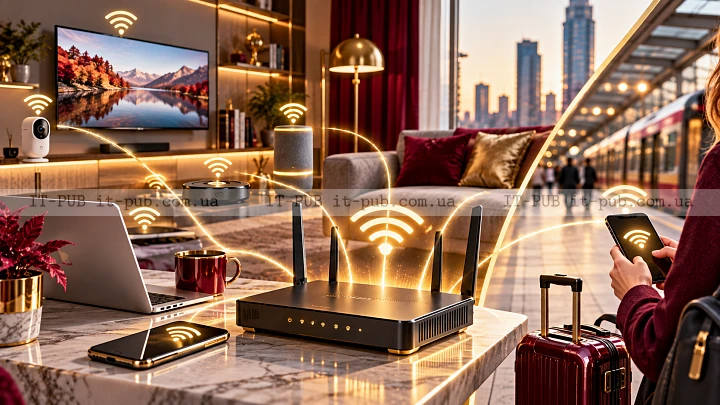
How Wi-Fi works becomes much easier to follow once you look at it as a few connected pieces rather than one invisible system. At the simplest level, Wi-Fi lets devices exchange data without a cable. Phones, laptops, tablets, smart TVs, and plenty of other devices use it to connect to a local network through radio waves.
It sounds more technical than it feels in practice. A router sends and receives signals, your device picks them up, and both sides turn those signals into usable internet traffic. Most of the time, it all happens automatically and fast enough that you barely notice it.
Wi-Fi starts with a router and a network
Wi-Fi does not create the internet on its own. It provides the wireless path between your device and a local network, and that network is usually connected to the internet through a modem or a similar gateway device.
The router sits at the center of that setup. It manages the local network and shares the connection with multiple devices at the same time. In many homes, the modem brings the internet in from the provider while the router distributes it wirelessly. In some cases, one piece of hardware handles both roles, which is why people often talk about the router and modem as if they were the same thing.
When you connect to Wi-Fi, your device joins that local network. From there, data moves between the device and the router, then out to websites, apps, streaming platforms, and cloud services.
Radio waves do the real work
Wi-Fi explained in plain terms comes down to radio waves carrying information through the air. It uses the same broad kind of technology found in many wireless systems. The router and your device encode data into signals, send those signals, and decode them on the other side.
That is what makes it wireless. There is no physical cable between your device and the router. Instead, the connection depends on signal strength, distance, and whatever gets in the way.
Wi-Fi radio signals are built for short-range networking. That is why they work well in homes, offices, schools, and cafes, where devices usually stay fairly close to the access point.
Your device and router speak the same language
For Wi-Fi to work, both ends need to support compatible wireless standards. Those standards define how devices send, receive, and interpret data over the air.
You do not need to know the technical details to use a wireless internet connection well. What matters is compatibility. If the router and device support the same standards, they can connect, agree on settings, and start exchanging data.
Once the connection is established, the device gets a network identity, often through a process that assigns an IP address. That address helps data reach the correct device on the network, much like a mailing address helps a letter arrive at the right place.
What happens when you join a Wi-Fi network
On the screen, joining Wi-Fi looks simple. In the background, a few things happen in quick succession.
Your device first scans for nearby networks. It sees the network name, usually called the SSID. When you choose one and enter the password, the device and router go through a secure handshake. That step confirms that the connection is allowed and protected.
After that, the router provides the information the device needs to communicate on the network. Once that is done, traffic can move through the router and out to the wider internet.
All of this usually takes only a few seconds. That speed is one reason Wi-Fi feels so effortless, even though several moving parts are involved.
Why signal strength changes
Wi-Fi is convenient, but the signal is never completely immune to its surroundings. The quality of the connection can change based on where you are and what sits between your device and the router.
Walls, floors, furniture, metal surfaces, and even other electronics can weaken a Wi-Fi signal or interfere with it. Distance matters too. The farther you move from the router, the weaker the connection may become.
That is why the connection can feel solid in one room and noticeably worse in another. The signal is not moving through an empty, perfect space. It has to pass through a real environment filled with obstacles and interference.
So when Wi-Fi slows down, the provider is not always the reason. Sometimes the issue is simply that the wireless signal has too much material or too much distance to deal with.
Speed is not only about your internet plan
A lot of people treat Wi-Fi speed and internet speed as the same thing. They are connected, but they are not identical.
Your internet plan sets the maximum speed your provider can deliver to the building. Wi-Fi is the wireless link that carries that connection to your devices. If that link is weak, the device may not get the full speed your plan allows.
So a fast subscription does not automatically mean a fast experience everywhere in the house or office. Router placement, the number of connected devices, and the quality of the wireless environment all play a role.
In practice, good wireless internet basics come down to two things working together: the incoming internet connection and the wireless path inside the space.
Why Wi-Fi can slow down when many devices are connected
Wi-Fi shares airtime. A router can serve many devices, but they still compete for the same wireless resources.
If several people are streaming, gaming, downloading files, or taking part in video calls at the same time, the network may start to feel slower. The router has to manage all of those requests and spread bandwidth across them.
That does not always mean anything is broken.
Often, the network is simply busy.
In homes with lots of connected devices, smart home gear can add background traffic too. Each device may use only a small amount of data, but together they can create more load than people expect.
Security matters more than many people realize
Because Wi-Fi works through the air, the signal can potentially be detected beyond the walls of a home or office. That is exactly why security matters.
A protected network uses encryption to help keep data private while it moves between the router and your device. A password helps block unauthorized access as well.
If a network is open or poorly secured, outsiders may be able to connect, use bandwidth, or reach shared devices on the network. That creates obvious privacy and security risks.
For everyday use, the key point is simple: a Wi-Fi network should use a strong password and modern security settings supported by the router and connected devices.
Wi-Fi is not the same as mobile data
Wi-Fi and mobile data both offer wireless internet, but they do it in different ways.
Wi-Fi connects a device to a local network, usually through a router inside a building. Mobile data connects a phone or hotspot to a cellular network run by a mobile carrier.
That difference matters. Wi-Fi is usually tied to one location, while mobile data is built for broader coverage when you move around. Both are useful. They just solve different problems.
Most people switch between them without thinking much about it. A phone may use Wi-Fi at home and mobile data outside, and in many cases the device handles that transition automatically.
The router is not the whole story
A strong router helps, but it is only one part of the setup. The modem, the internet service itself, the router’s location, and the physical layout of the space all affect performance.
If the router is tucked away in a corner, placed near thick walls, or surrounded by sources of interference, coverage may suffer. Moving it to a more open, central spot can make a noticeable difference.
In larger homes or offices, one device may not cover every area evenly. In that kind of setup, extra network equipment may help extend coverage. The goal is straightforward: keep the wireless internet connection usable where people actually live and work.
Why Wi-Fi sometimes drops and reconnects
A brief drop in connection is annoying, but the cause is often fairly ordinary.
The device may have moved farther from the router. Another wireless device may be creating interference. The router may be overloaded. A physical obstacle may be disrupting the signal. In some cases, the issue comes from the internet line rather than the wireless link.
Wi-Fi is designed to reconnect automatically in many situations. That is why a device can lose signal for a moment and then come back online without you doing anything.
If it happens often, it is worth looking into. But occasional interruptions are part of how wireless networking works in real spaces.
Different devices experience Wi-Fi differently
Not every device handles Wi-Fi in the same way. A newer laptop with a stronger wireless adapter may perform better than an older phone or a budget tablet. Antenna design, hardware quality, and software all affect the result.
That is why two devices in the same room can show different signal bars or different speeds. The network is the same, but the devices are not equally good at sending and receiving the signal.
It also explains why a problem may show up on one device and not another. Before blaming the network, it helps to test more than one device.
Simple habits that improve Wi-Fi performance
A few practical habits can make Wi-Fi more reliable.
Keep the router in a central, open spot if you can. Do not hide it in a cabinet or behind large objects. Reduce unnecessary interference from other electronics where possible. Use secure settings so the network stays private. And if a device struggles to connect, restarting the device or the router can sometimes clear a temporary problem.
It also helps to think about where the network is used most. A router placed for one room may not be ideal for the whole home. Good coverage usually comes from matching the setup to the layout of the space.
What Wi-Fi is good at and where it has limits
Wi-Fi is great at convenience. It lets multiple devices connect without cables, supports everyday online tasks, and works well in homes and offices.
Its limits are just as real. Signal strength changes, performance can fall off with distance, and crowded environments can make the connection less reliable. Wi-Fi is not magic. It is a practical system, and it works best when the environment supports it.
That is why a stable setup depends on both the technology and where it is placed. In many cases, a good connection is the result of sensible planning rather than just fast hardware.
Understanding Wi-Fi helps you use it better
Once you understand how Wi-Fi works, it stops feeling mysterious. The router sends radio signals. Your device receives them. Data moves across the local network and out to the internet. Security helps protect that exchange, and the physical environment affects the outcome.
That basic model explains most everyday Wi-Fi behavior. It helps make sense of weak signal, slow speeds, dropped connections, and the fact that one device may perform differently from another without requiring deep technical knowledge.
Wi-Fi may feel invisible, but the system behind it is not random. When you understand the basics of how wireless networking works, it becomes much easier to place a router well, choose equipment more confidently, and deal with fewer surprises.