How VPN Services Work in Everyday Use
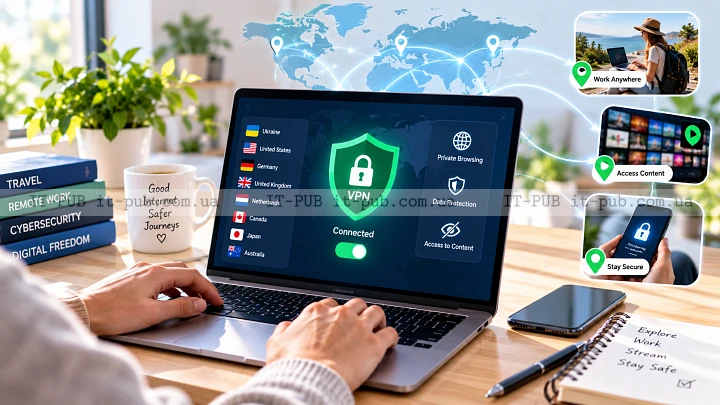
A VPN is one of the most widely used tools for safer, more private internet access, but it still gets misunderstood. Some people assume it makes them fully anonymous. Others treat it like something meant only for IT departments. In practice, it’s much simpler than that, and far more useful in everyday situations than many people realize.
What a VPN actually does
If you’re asking what is a VPN, the short answer is this: it’s a virtual private network that creates a protected connection between your device and a VPN server. Instead of sending your traffic straight to websites and online services, your device sends it through an encrypted path first.
That changes how your data moves across the internet. Your internet provider can still tell that you’re connected to a VPN, but it cannot easily read the contents of the traffic moving through that VPN tunnel. Websites and apps, meanwhile, see the VPN server’s IP address rather than your own. In practical terms, that helps hide your IP address and reduces exposure on networks you don’t fully trust.
The important part is keeping expectations realistic. A VPN is not invisibility. It doesn’t erase your activity. What it does is add a layer between you and the open internet.
How VPN services work step by step
When you open a VPN app and connect, a few things happen in the background.
First, the app authenticates your connection with the VPN provider. Then it sets up an encrypted link to the server you’ve chosen. After that, your traffic is routed through that server instead of going out through the normal network path.
VPN encryption is the core of the process. It turns readable data into a form that is much harder for outsiders to interpret without the proper keys. That helps protect logins, messages, and other sensitive traffic while it travels across networks.
The server acts as an intermediary. When a website receives your request, it sees the VPN server as the source. The response comes back through the same protected route to your device. For the user, it usually feels almost the same as browsing normally, just with a more secure internet connection running in the background.
Why people use a VPN
Why use a VPN? The answer depends on the person. Not every reason is technical.
Privacy is one of the biggest ones. A VPN can make it harder for websites and network observers to tie your browsing directly to your home IP address. That doesn’t make you anonymous, but it does reduce how much information is exposed by default.
Security is another major reason. Public Wi-Fi in cafés, airports, hotels, and other shared spaces can be risky, especially if traffic isn’t otherwise protected. A VPN helps shield that traffic from casual interception.
VPNs also play an important role in remote work. Many companies use them so employees can connect securely to internal systems from outside the office. In that setup, the VPN is doing more than encryption. It’s also part of access control.
Some people use VPNs to reach services that behave differently based on location. That can be useful, but it shouldn’t be the main reason to choose a provider. Reliability, privacy practices, and security matter more.
What a VPN can protect and what it cannot
A VPN is useful, but it has clear limits. Knowing those limits helps avoid disappointment.
It can protect data moving between your device and the VPN server. It can hide your IP address from the sites you visit by showing the server’s address instead. It can also make it harder for your internet provider or local network operator to inspect the contents of your traffic.
What it can’t do is make you completely anonymous online. If you sign in to an account, that service still knows who you are. If you hand over personal information on a website, the site still receives it. A VPN also doesn’t stop tracking tied to cookies, browser fingerprinting, or your own logins.
It won’t protect you from malware if you download a dangerous file or click a malicious link. It can’t fix weak passwords, phishing, or poor security habits either. A VPN is one layer of protection, not a complete defense system.
Encryption and the VPN tunnel in simple terms
The phrase “VPN tunnel” sounds more technical than it really is. The idea is fairly simple. Think of sending a letter in a sealed envelope along a guarded route. People on the outside can see that something is being sent, but they can’t easily read what’s inside.
That’s roughly how VPN encryption works. Your data gets wrapped in a protected layer before it leaves your device. The VPN server removes that layer, forwards the request to its destination, and sends the response back through the same secure path.
This is why VPNs are especially useful on networks you don’t control. If someone tries to inspect traffic in the middle, the encrypted data should be much harder to understand. How strong that protection is depends on the VPN’s implementation, the protocols it uses, and the overall quality of the service.
Choosing between a VPN and other security tools
A VPN is not the same thing as antivirus software, a password manager, or a secure browser. Each one addresses a different problem.
Antivirus tools focus on detecting and blocking malicious files or behavior. A password manager helps you create and store strong passwords. A secure browser can reduce tracking and improve privacy inside the browser itself. A VPN mainly protects the network path between your device and the VPN server.
That’s why a VPN works best alongside other basic security habits. Strong passwords, multi-factor authentication, software updates, and caution with links and attachments still matter. In many situations, those habits protect you more directly than a VPN on its own.
When a VPN makes the most sense
A VPN makes the most sense when you use public Wi-Fi regularly, work remotely, or want to reduce exposure on networks you don’t trust. It can also help if you want to separate your visible IP address from your everyday browsing traffic.
For businesses, VPNs are often part of secure remote access. Employees can reach internal tools without exposing those systems directly to the public internet. That lowers risk and allows tighter control over access.
For regular users, the benefit often comes down to privacy and peace of mind. Even if you’re not handling especially sensitive data, you may not want every connection detail exposed to the network you’re using. A VPN gives you more control over that layer.
Where VPNs can slow things down
A VPN can reduce speed because your traffic takes an extra hop and has to be encrypted and decrypted along the way. That added processing and routing can introduce some delay.
The effect varies quite a bit. A nearby server may feel fast enough for normal browsing or streaming. A distant server, or one under heavy load, may feel noticeably slower. The quality of the provider’s infrastructure matters too, along with the quality of your own connection.
That’s why performance can change depending on which server you choose. It’s a trade-off: more privacy and security in exchange for some added complexity and, sometimes, lower speed.
What to look for in a VPN service
Not all VPN services are equally trustworthy, and not all of them are built to the same standard. Since the provider handles your traffic, that choice matters a lot.
A good service should explain its approach to logs, encryption, and connection security in plain language. It should clearly say what data it collects and why. Stable apps, sensible server options, and support for the devices you actually use also matter.
Transparency is a big deal here. If a provider makes sweeping promises but avoids explaining how its service works, that’s a warning sign. A trustworthy VPN should be able to describe its security model without hiding behind vague marketing language.
Ease of use matters too. A technically strong VPN that confuses people will often be used badly, or not used at all. Clear controls, straightforward server selection, and reliable connection behavior make secure use far more likely.
Common myths about VPN services
One of the most persistent myths is that a VPN makes you fully anonymous. It doesn’t. It hides some network-level details, but your identity can still be exposed through logins, account activity, browser tracking, or your own actions.
Another myth is that VPNs are only for criminals or highly technical users. In reality, plenty of ordinary users rely on them for basic privacy and safer access on public networks.
There’s also the idea that all VPNs are basically the same. They aren’t. Services can differ a lot in security design, privacy policies, performance, and usability. “VPN” tells you what kind of tool it is, not how good it is.
It’s also risky to assume that free VPNs are automatically a good deal. Running a VPN service costs money, so providers have to cover those costs somehow. That makes it even more important to understand how a service operates and what it may collect in return.
How to use a VPN wisely
A VPN is most useful when you use it with a clear purpose. Turn it on when you need a more private or secure connection, especially on unfamiliar networks. Treat it as part of a broader security routine, not a replacement for one.
Choose a server location that matches what you need. If performance matters most, a nearby server is often the better option. If you need a different virtual location, pick one for that purpose without expecting it to solve every privacy issue.
It also helps to keep the app updated. Security tools depend on correct implementation, and updates can improve stability or fix weaknesses. If the VPN disconnects unexpectedly, it’s worth knowing how the app handles that so you understand whether traffic stays protected or falls back to your regular connection.
Why VPNs remain relevant
The internet is tied to more of daily life than ever, which makes network privacy more important, not less. A VPN won’t solve every security problem, but it does offer individuals and organizations a practical way to protect data in transit and control how their connections appear online.
That’s really the answer to how VPN services work and why they still matter. They’re not about hiding everything. They’re about reducing unnecessary exposure and making online connections safer in real-world use.
For a lot of people, that alone is reason enough to keep a VPN in the toolkit.