How to Choose a Laptop for Work and Study
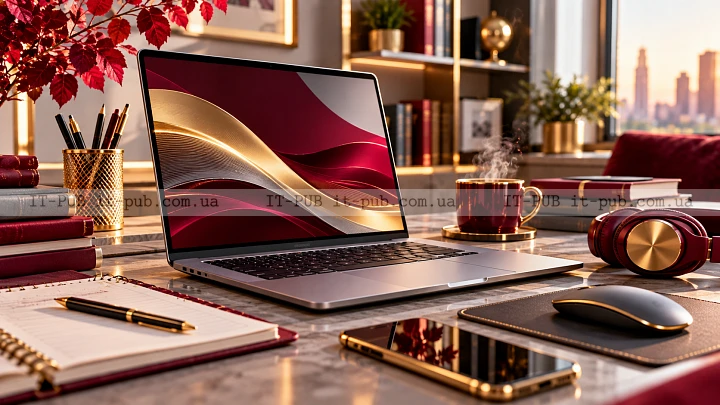
Choosing a laptop for work and study gets much easier once you stop looking for the “best” model in general and start thinking about the one that fits your day-to-day routine. A good laptop should be easy to carry, dependable for everyday tasks, and capable enough for the apps you actually use. The right choice is not always the fastest or the most expensive. It is the one that fits the way you work.
This laptop buying guide focuses on the things that matter before you spend your money. The goal is simple: help you compare options clearly, skip features you do not need, and make a decision you will not regret after a week of use.
Start with the way you will use the laptop
Before you get into laptop specs explained on retail pages, think about what your typical day looks like. A laptop used for essays, web browsing, video calls, and office apps does not need the same setup as one used for design work, coding, or heavy multitasking. Once your use case is clear, the shortlist usually becomes much smaller.
For work and study, most people do better with a balanced machine than a specialized one. In practice, that means good battery life, a keyboard you can type on for hours, enough memory for multitasking, and a screen that does not tire your eyes. If your routine includes large files, creative software, or dozens of browser tabs, performance deserves more attention.
It helps to make a quick list of your most common tasks. If you mostly write documents, take notes, and join online classes, portability and battery life may matter more than raw speed. If you work with photos, large spreadsheets, or several open programs at once, you will want stronger performance higher on your list.
Choose a screen size that matches your routine
Screen size shapes the whole experience. A bigger display gives you more room for documents, spreadsheets, and side-by-side windows. A smaller laptop is easier to carry around, which matters if you move between home, classes, and the office.
For many people, a 13- to 14-inch laptop hits a practical middle ground. It is easier to slip into a bag and usually feels less tiring to carry. A 15- to 16-inch model can be a better fit if you spend long stretches at a desk and want more working space on screen. The trade-off is pretty obvious: more comfort at the desk, more bulk on the move.
Resolution matters too. A sharper display makes text cleaner and easier to read, which can help reduce eye strain over long sessions. For a laptop for students and professionals, clarity usually matters more than flashy display features.
It is also worth checking brightness and whether the screen has an anti-glare finish. A dim display can be frustrating near windows or in bright rooms. Anti-glare can make a noticeable difference if you study or work in different places throughout the day.
Pay attention to keyboard and touchpad comfort
You can have strong specs and still end up with a laptop that feels annoying every single day. Keyboard comfort matters a lot because work and study usually mean long hours of typing. The keys should feel stable, spaced well, and responsive enough that your hands do not get tired too quickly. If the keyboard feels cramped, you will notice it fast.
The touchpad matters more than many buyers expect. When you are not using a mouse, a smooth and accurate touchpad makes everyday tasks much easier. In lectures, meetings, or shared spaces, that kind of reliability saves time and cuts down on small frustrations.
A backlit keyboard is also useful in low light. Not essential for everyone, but definitely helpful if you work late or study in dim rooms. If you can, try typing on the laptop before buying. Comfort is one of those things that is hard to judge from a spec sheet.
Look for enough performance without overbuying
Performance is where laptop shopping often gets confusing. People tend to focus on the processor name as if that tells the whole story. It does not. What really matters is how balanced the system is.
For everyday work and study, a modern mainstream processor is usually enough. The bigger question is whether the laptop can stay responsive when you are doing several things at once. If your normal routine includes lots of browser tabs, office apps, video calls, and frequent switching between programs, memory becomes very important.
RAM is what helps a laptop handle multiple active tasks smoothly. Too little of it can make an otherwise decent machine feel slow and strained. Storage matters too. Solid-state storage is much faster than older mechanical drives, so for most people it is the better choice. It helps with startup times, file access, and the general feel of the system.
If you use specialized software, check its requirements before you buy. Some programs simply need more power than general office work. Design tools, programming environments, and heavier data tasks can benefit from stronger hardware. Still, for many users, the best laptop for work and study is not the most powerful one. It is a mid-range model with the right balance of memory, storage, and everyday speed.
Battery life matters more than the brochure suggests
Battery life is one of the features that affects daily life the most. A laptop that runs out of power in the middle of the day quickly becomes stressful to use. What you want is not just a long battery claim, but dependable battery performance in real conditions.
That is where marketing numbers can be misleading. Battery life changes depending on what you are doing. Video calls, bright screens, and streaming drain power much faster than reading documents or typing notes. So instead of trusting one headline figure, it makes more sense to look for a laptop known to handle everyday use efficiently.
If you move between classes, meetings, or different workspaces, battery life should be high on your list. Fast charging can help too. A laptop that tops up quickly gives you more flexibility when the day gets busy. Even if you usually sit near a power outlet, a strong battery is still one of the features you appreciate most over time.
Portability is about more than weight
When people talk about portability, they usually mean weight. That is only part of it. The thickness of the laptop, the size of the charger, and how easily it fits into your bag all affect how portable it really feels.
A compact model is easier to carry, but that can come with trade-offs like a smaller display or fewer ports. A bigger laptop may be more comfortable at a desk, yet less pleasant to haul around every day. The right choice depends on how often you actually travel with it.
If you commute, move between rooms, or carry books and accessories as well, even a little extra bulk starts to matter. In that case, a lightweight laptop for work can make everyday life noticeably easier. If the laptop mostly stays on a desk, comfort and screen size may be more important than shaving off every possible gram.
Check the ports before you buy
Ports are one of those details that seem minor right up until the moment you need them. The right selection can save you from carrying adapters everywhere. Too few ports can get irritating very quickly if you use a mouse, external monitor, flash drive, or wired headset.
Think about what you plug in on a normal day. Some people need HDMI for presentations or a second display. Others rely on USB ports for accessories and storage. A headphone jack may still matter for calls or online classes. If wired connections are part of your routine, make sure the laptop supports them without forcing you into a bag full of dongles.
Wireless connectivity matters too. Reliable Wi‑Fi is essential for remote work, study, cloud storage, and video meetings. Bluetooth is useful for headphones, keyboards, and mice. These are common features, but it is still worth confirming that they fit the way you work.
Don’t ignore build quality and durability
A laptop for work and study gets used hard, even if you are careful with it. It gets opened and closed all day, carried in bags, moved between rooms, and used in different environments. Build quality plays a big role in how well it holds up.
A solid hinge, a firm keyboard deck, and a chassis that does not flex too much all make a difference. A flimsy laptop may work fine at first, but it can feel unpleasant from the start and may not age well. If you plan to carry it regularly, durability matters even more.
Materials also affect how the laptop feels in hand. Some lighter models manage to stay sturdy without feeling fragile. Others are heavier but more rigid. There is no single perfect answer here, but the laptop should feel dependable rather than delicate.
Think about the operating system and software you need
The operating system shapes a lot of your everyday experience. It affects which apps you can run, how you manage files, and how smoothly the laptop fits into the rest of your devices. The right choice depends on your habits and on the software your school or workplace requires.
If your employer or institution depends on specific tools, check compatibility first. Some apps are available across multiple systems, while others are not. It is much better to confirm that before buying than to deal with an awkward mismatch later.
Comfort matters here too. A laptop should help you get work done without making basic tasks feel awkward. If you already know one system well, that familiarity can save time and reduce friction every day.
Storage size should fit your real needs
Storage is another area where it is easy to spend too much or too little. If most of your work lives in the cloud, and you mainly use documents, web apps, and streaming, you may not need a huge amount of local space. If you store large files, offline materials, or lots of applications, you will need more.
The important thing is to think a little ahead. A laptop that fills up too quickly can become frustrating and force constant cleanup. On the other hand, paying for far more storage than you will ever use is not always the smartest move either.
For many people, a fast solid-state drive matters more than having the biggest possible one. Speed improves the whole experience. If needed, extra storage can be added later through cloud services or external drives.
Set your budget around priorities, not hype
A smart purchase is not about chasing the longest feature list. It is about getting the right mix of features for your work, study, and budget. Start with your priorities: battery life, portability, display comfort, performance, or durability. Then find the model that gives you the best balance.
It is easy to get distracted by premium extras that sound impressive but do not change much in everyday use. In most cases, it makes more sense to spend on the basics that affect you every day. A good keyboard, a clear screen, enough memory, and reliable battery life usually matter more than one flashy selling point.
If your budget is tight, focus on the essentials first. A balanced laptop with a good display, adequate memory, and solid battery life will often serve you better than a more eye-catching model with one standout feature and several weak spots.
A simple way to compare options
When you compare laptops, ask the same practical questions every time. Is it comfortable to carry? Is the keyboard pleasant enough for long sessions? Will the screen stay easy to read after hours of work? Does it have enough memory and storage for what you do? Can the battery get you through a normal day?
That keeps the process grounded in real use instead of marketing language. Specs matter, of course, but only when they match your habits. This is really the heart of how to choose a laptop for work and study: connect the hardware to the way you actually live and work.
If two models look similar on paper, the better option is often the one that feels less compromised in everyday use. Small differences in keyboard quality, display comfort, or battery behavior can matter more than a minor advantage in one spec.
What a good work-and-study laptop should feel like
A good laptop should feel dependable from day one. It should start quickly, handle your usual apps without hesitation, and stay comfortable during long stretches of reading, writing, meetings, and research. Ideally, it fades into the background and just supports your routine.
That is really the point. A laptop is not just a set of components. It is a tool you use for organization, communication, study, and getting real work done. When you choose based on your actual needs instead of hype, you are much more likely to end up with something that stays useful for a long time.
If you keep the focus on balance rather than specs alone, you will have a much easier time figuring out how to choose a laptop, and you will be more likely to find one that works well for both study and professional tasks.