What Is Programming and Where to Start
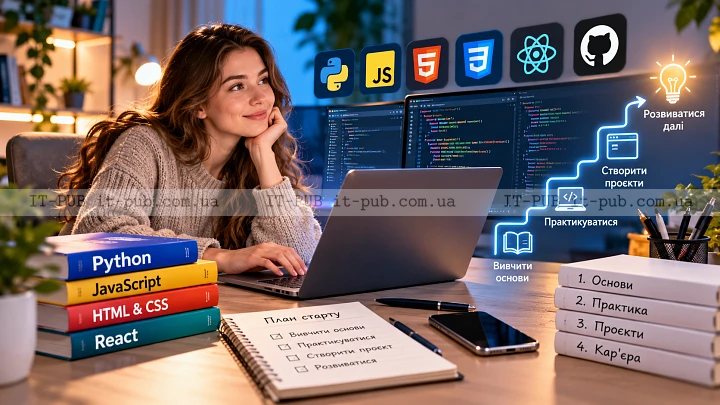
Programming is the process of telling a computer what to do so it can carry out useful tasks. Those instructions are written in a language the machine can process, but the thinking behind them is usually more straightforward than it first seems. At its heart, programming is about solving problems one step at a time.
If you are new to it, the whole field can look bigger and more intimidating than it really is. The good part is that you do not need to understand everything upfront. A clear goal, steady practice, and a bit of patience will take you further than trying to memorize a long list of technical terms.
What programming actually does
A computer does not infer your intent. It follows instructions, exactly and literally. Programming is the bridge between a human idea and a sequence of actions a machine can perform.
That can apply to almost anything digital. A program might render a website, sort a list, calculate a budget, process a payment, or make a game respond to user input. The pattern stays the same: you define the logic, and the computer runs it as written.
That is why people often answer the question “what is programming” with something close to problem solving. The language matters, but it is still just a tool. The deeper skill is learning how to break a task into smaller parts and describe each part clearly.
Why programming is worth learning
Programming is useful well beyond software engineering roles. It can help you automate repetitive work, understand how digital products behave, and build tools for your own personal or professional needs.
For some people, it is the first step toward a career change. For others, it is a way to think more clearly, work better with technology, or become more independent when using websites, apps, data, or automation tools. Even a basic grasp of programming basics can be surprisingly valuable.
It also trains a habit that carries into other kinds of work: thinking carefully about process. Writing code forces precision, and that kind of precision tends to transfer well.
The main ideas behind coding
Before you choose a language or start building projects, it helps to get comfortable with a few core programming concepts. These ideas show up in almost every language, even when the syntax looks completely different.
One of the first is the variable. A variable stores a value, such as a number, a word, or the result of a calculation. It gives a program a way to hold on to information.
Then there are conditions. A condition lets a program make a decision. If one thing is true, it does one action; if not, it does something else. This is one of the main ways software responds to different situations.
Loops matter just as much. A loop repeats an action multiple times, which is useful when you are working through lists or handling repetitive tasks.
Functions help keep code organized. A function is a reusable block of instructions that handles one specific job. Instead of rewriting the same logic over and over, you define it once and call it when needed.
Once these programming concepts start to click, many languages become easier to read. The labels may differ, but the underlying logic is familiar.
Choosing a first programming language
A lot of beginners get stuck here. They spend too much time trying to pick the perfect first language and never actually begin.
In practice, the best option is usually the one that helps you start writing and understanding code without too much friction. If your goal is broad, beginner-friendly learning, a language with readable syntax and a large learning community is often a solid place to begin. If you want to build websites, you may end up focusing on web-oriented tools. If you are more interested in scripting, data, or automation, a different route may make more sense.
At the beginning, though, the language itself is not the main thing. What matters is learning the underlying ideas through it. Once variables, loops, conditions, and functions make sense, switching to another language gets much easier.
How to start programming without feeling lost
If you are wondering how to start programming, keep the first steps small. That sounds simple, but many beginners do the opposite. They open a huge course, pick a complicated project, install too many tools, and end up overwhelmed almost immediately.
A better approach is to learn one idea at a time and use it right away. Read a short explanation, write a small example, then change it and see what breaks or what changes. That kind of active practice teaches more than passive reading ever will.
Start with basic input and output. Learn how a program stores a value, changes it, and prints a result. Then move on to conditions and loops. After that, work with functions and simple data structures. Each piece supports the next.
It also helps to keep your routine realistic. Short, regular sessions usually work better than occasional long ones. If you want to learn to code, consistency matters more than intensity.
The role of practice in learning to code
Reading about code is useful. It just is not enough on its own.
Most of the real learning happens when you write something yourself, make mistakes, and figure out how to fix them. That is not a sign that you are doing badly. It is part of the process.
Debugging, in particular, teaches a lot. When something fails, you have to inspect the logic, trace the problem, and correct it. That work sharpens your understanding in a way that reading alone cannot.
Try building small things that feel manageable. A simple calculator, a to-do list, a number guessing game, or a basic script that renames files is enough for a first project. The goal is not to impress anyone. The goal is to practice the full cycle: think, write, test, fix, improve.
As your confidence grows, you can start combining several ideas in one project. That is usually the point where coding for beginners starts to feel less abstract and more practical.
Tools you need at the beginning
You do not need a complicated setup to begin. In many cases, a text editor, a browser, and a programming environment are enough.
A text editor is where you write your code. Some people start with very simple editors, while others prefer tools that highlight syntax and help catch mistakes. A browser is useful for web-related learning and for testing many examples. An interpreter or compiler, depending on the language, turns your code into something the computer can run.
At first, it is better not to overthink the tooling. A clean, simple setup is often more helpful than a powerful one you do not yet understand. The important part is getting comfortable writing and running code.
How to think like a programmer
Learning programming is not only about syntax. It is also about learning how to approach problems in a structured way.
A programmer usually starts by asking a few basic questions. What needs to happen? What input is available? What output should the program produce? From there, the task gets broken into smaller pieces that are easier to manage.
Say you want to build a simple app for tracking expenses. You would not start with the entire app at once. You might begin with storing one expense. Then add a way to display it. After that, calculate totals. Piece by piece, the project comes together.
This way of thinking is useful outside of code too. It encourages planning, patience, and logical reasoning.
Common beginner mistakes to avoid
A lot of newcomers expect everything to make sense right away. It usually does not. Programming often feels confusing at first, especially when the terminology is unfamiliar.
Another common mistake is jumping between resources too quickly. One good tutorial can be enough for a while. Constant switching often creates the feeling of progress without much real understanding underneath it.
Some people try to memorize code instead of understanding the logic behind it. That rarely holds up for long. Code becomes much easier to remember when you know why it works.
It is also easy to start with goals that are too ambitious. A large app or advanced system may sound motivating, but it can be discouraging when you are still learning the basics. Smaller projects are better early on because they make progress visible.
When to move beyond the basics
Once the core ideas start to feel familiar, you can begin moving into more specific areas. The right next step depends on what interests you.
If you like visual products, web development may be a natural direction. If numbers and patterns appeal to you, data-related work may fit better. If automation is the goal, scripting can be especially useful. If you enjoy interactive experiences, game development may be worth exploring.
At that stage, real projects become even more important. Tutorials still help, but projects force you to connect multiple ideas at once. That is where understanding starts to become practical.
You also do not need to commit to one path forever. Many people explore several areas before they figure out what they enjoy most.
A simple way to build momentum
Momentum matters when you are learning. Early progress can feel slow because so much is new, but small wins build on each other.
A simple pattern works well: learn one concept, write one example, and build one tiny project around it. Then review what you learned and repeat. That keeps the process active and focused.
It can also help to keep notes in your own words. Writing down what a variable does or how a loop behaves makes the idea easier to return to later. Personal notes are often more useful than polished tutorials because they reflect how you actually understand the topic.
Most of all, stay consistent. Even a modest routine can lead to real progress over time.
What to remember if you are just starting
Programming is not magic, and it is not reserved for highly technical people. It is a practical skill built on logic, patience, and repetition.
If you are asking what is programming and how to begin, start with the basics and keep your first goals small. Focus on the core ideas, choose one of the beginner programming languages that feels approachable to you, and write code regularly. Understanding matters more than speed.
Over time, the separate pieces begin to connect. What looked complicated at first starts to feel familiar. That is one of the most useful things programming gives you: a way to turn ideas into working tools, one step at a time.