What Is an Operating System and Why It Matters
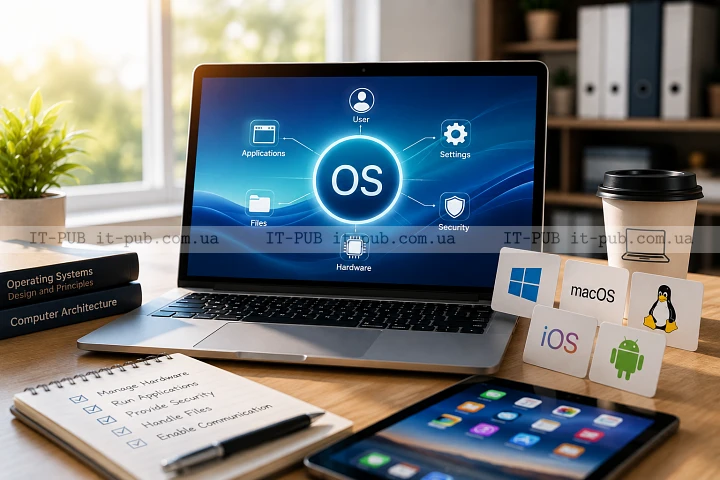
An operating system is the software that makes a computer, phone, or tablet actually usable. It sits between the hardware and the apps you use every day, handling the low-level work in the background so the device can respond to what you do.
Without it, a computer would not know how to run programs, manage memory, or work with a keyboard, display, or storage drive. In simple terms, it is the layer that keeps the whole system coordinated.
What an operating system actually does
The easiest way to understand it is to think of it as a system manager. It controls the main resources of a device and decides how they are shared.
Open a document, start music, browse the web, connect a printer — none of that happens cleanly on its own. The operating system gives each program organized access to the processor, memory, storage, and connected hardware.
Just as importantly, it lets multiple programs run at the same time without stepping on each other. That balancing act is one of the core operating system functions.
The main parts behind the scenes
An operating system is not a single tool or one isolated process. It is made up of several parts that work together.
At the center is the kernel. This is the core of the system, the part that talks directly to the hardware and handles essential jobs such as memory use, process scheduling, and communication with devices.
Then there is the user interface, the part people actually interact with. It might be graphical, with windows, icons, and menus, or command-based, where the user types instructions. Either way, it hides a lot of technical complexity and makes the machine practical to use.
The system also includes services and drivers. Drivers let the operating system understand specific hardware, whether that is a printer, graphics card, or network adapter. Services take care of background tasks that help keep everything running smoothly. If you are looking at operating system components in practical terms, these are the ones that shape day-to-day behavior.
How an operating system starts a device
When you turn on a computer or phone, the operating system does not appear instantly. A small startup process runs first, checks the hardware, and gets the machine ready to load the system.
Once that is done, the operating system is loaded into memory and takes control. It sets up the basic functions, recognizes connected hardware, and prepares the environment where applications will run.
From that point on, it stays active in the background. Even when all you see is the desktop or home screen, the system is still working.
How it runs several programs at once
Most people do not use one app at a time. A browser may be open next to a chat app, a music player, and a document editor. The reason that feels normal is that the operating system is constantly coordinating those workloads.
It splits processor time across running programs so each one gets a turn. It also manages memory so one app does not overwrite another app’s data. If a program becomes unstable, the system can often contain the issue instead of letting the whole device crash.
That is a big part of how an operating system works in real life: it keeps competing tasks moving without making the device feel unusable.
Why memory management matters
Memory is where a device keeps data it needs quickly. Since memory is limited, the operating system has to use it carefully.
When you launch a program, part of it is loaded into memory. When you close it, that memory can be released and used elsewhere. If too many apps stay open, the system may slow down because it has more data to juggle than it can comfortably hold.
Good memory management helps keep the device stable. It also lowers the risk of one application interfering with another by using memory in the wrong way.
How files and storage are organized
The operating system also manages files and storage. It provides the structure used to store documents, photos, videos, and software on a drive or other storage medium.
Instead of leaving data scattered, it creates a file system — the method used to name, save, locate, and retrieve files. It also keeps track of permissions, so not every user or program can access everything.
That structure matters for convenience, but also for safety. It helps people find their data and reduces the risk of accidental or unauthorized changes.
How devices and hardware are controlled
A computer is only useful if it can work with hardware, both internal and external. Keyboards, mice, displays, speakers, storage drives, cameras, printers, and network adapters all need a way to communicate with the system.
This is where drivers come in. A driver acts as a translator between the hardware and the operating system. Without the right driver, a device may not work properly or may not be recognized at all.
That is also one reason system updates matter. They often improve compatibility, fix bugs, and add support for hardware.
How users and programs stay separated
One of the key design principles in modern systems is separation. Users and applications are not supposed to have direct access to everything inside a device.
The operating system acts as a gatekeeper. It decides what a program is allowed to do and what should be blocked. That helps protect the system from crashes, mistakes, and malicious software.
For example, an app should not be able to change critical system files without permission. The operating system enforces those boundaries and asks for approval when needed.
Why operating systems need security features
Security is one of the most important operating system functions. Because the system controls access to hardware, files, and apps, it also controls many of the ways a device can be protected.
Most operating systems include user accounts, passwords, permission settings, update mechanisms, and tools for managing trusted software. They may also isolate applications from one another to reduce risk.
No operating system is perfectly secure. Still, a well-designed one creates several layers of defense, making threats harder to spread and access easier to control.
Different types of operating systems
Operating systems are built for different devices and different workloads.
Desktop operating systems are designed for personal computers and laptops. They usually focus on multitasking, file management, and support for a wide range of software.
Mobile operating systems are built for phones and tablets. They are optimized for touch input, battery use, and app-based workflows.
Server operating systems run on machines that provide services to many users or devices. They are designed with reliability, resource control, and network management in mind.
Embedded operating systems run inside dedicated devices such as routers, appliances, or industrial equipment. They are usually smaller and built for a specific purpose.
These are different types of operating systems, but the basic role stays the same: managing hardware and software so the device can function.
How the operating system affects everyday use
Most people notice the operating system only when something breaks or feels slow. Still, it shapes almost every part of the everyday experience.
It determines how you open apps, switch between tasks, connect to the internet, and save files. It also affects how fast the device feels, how stable it is, and how much control you have over settings and behavior.
A well-designed system makes a computer feel predictable. A poorly configured one can make even simple tasks irritating. That is why the operating system matters so much, even when it stays mostly invisible.
What happens when software asks for something
Applications usually do not control hardware directly. They send requests to the operating system instead.
If a program wants to save a file, the operating system handles the storage operation. If it needs to show something on the screen, the system works with the graphics layer. If it wants to play sound, the request is routed through the audio components.
This model keeps things organized. Without it, every application would try to manage hardware on its own, and the result would be chaos.
Why updates are part of the system’s job
Operating systems are not static. Like any complex software, they need ongoing maintenance.
Updates can improve security, fix bugs, refine performance, and support new devices or standards. They also help keep the system compatible with newer applications and services.
Skipping updates can leave a device exposed or create compatibility problems. At the same time, updates need to be handled carefully, especially in business environments where stability matters. Because the operating system sits at the center of the device, even small changes can have broad effects.
How to think about an operating system in practical terms
If an app is the tool you use, the operating system is the environment that lets that tool work. It is not the same thing as a browser, office suite, or game, but all of them depend on it.
In practice, that means the system handles the invisible work: starting the device, managing memory, organizing storage, supporting hardware, enforcing security, and coordinating programs. What users see is the result — a familiar interface and a machine that works.
That is also the simplest answer to what is an operating system. It is the software layer that connects hardware, applications, and the user in a controlled and usable way. If you need a computer operating system explained without turning it into a textbook definition, that is really the heart of it.
Why it matters for beginners and IT users alike
For beginners, the operating system is one of the first pieces of digital literacy that really matters. It explains where files go, how apps launch, and why permissions exist in the first place.
For IT users and specialists, it is the control layer of the device. Troubleshooting, performance tuning, security management, and compatibility checks all depend on understanding how the system is built and what it is responsible for.
The more complex the environment, the more important that understanding becomes. Whether you are using a laptop at home, managing office machines, or supporting servers, the operating system is where many critical decisions are made.
An operating system is the quiet center of every modern device. It links hardware, software, and users in a way that makes digital work possible.