How Cloud Storage Works in Everyday Use
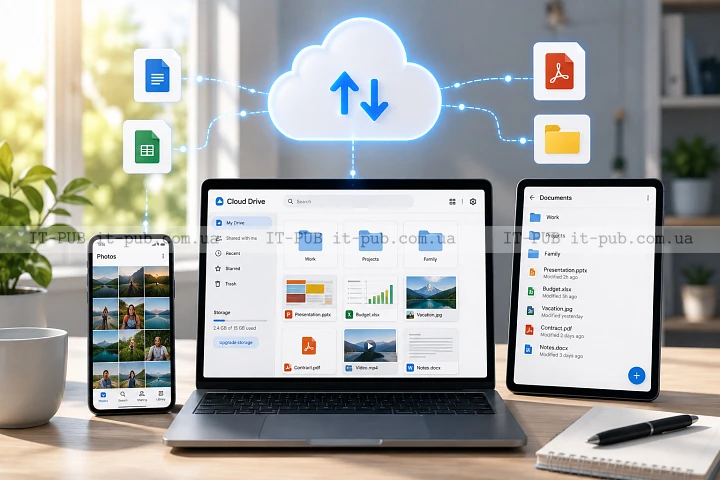
Cloud storage is woven into everyday digital life, whether people think about it or not. Photos, documents, backups, and shared work files often pass through remote servers instead of living only on a single device. Once you understand how cloud storage works, it becomes much easier to use it well, pick the right service, and avoid the usual mistakes.
At the simplest level, cloud storage means your data is kept on internet-connected servers and made available when you need it. That part is easy enough. What matters more is everything happening in the background: availability, syncing, backup behavior, and security.
What cloud storage actually is
A cloud storage service lets you save data on remote infrastructure managed by a provider. Instead of keeping everything on a local hard drive, you upload files to a system you can reach from different devices.
The word “cloud” can make this sound abstract, but the setup is very physical. Your files are stored on real servers in data centers, where hardware, software, and networking all work together to deliver data on demand. The provider runs and maintains those systems. You access them through an app, a browser, or a built-in integration inside another tool.
For most people, cloud storage explained in plain terms is just a folder that follows them around. For businesses, it can do more than that. It can support collaboration, disaster recovery, and storage growth without requiring every server to be bought and maintained in-house.
How your files move into the cloud
When you upload a file, your device sends it over the internet to the provider’s servers. The provider’s software receives it, checks it, and stores it so it can be retrieved later. Depending on the service, the file may be encrypted during transfer and while it is stored.
From the user side, this usually feels instant or close to it. Behind the scenes, several things may happen at once. The service might compress the data, split it into chunks, duplicate it across systems, or place it in different storage tiers based on how often it is used. Those steps help keep data storage in the cloud available and resilient.
On phones and laptops, the app usually handles syncing quietly in the background. A change made on one device is sent to the cloud, then copied to other connected devices. That is why the same document can show up on a work computer, a tablet, and a phone without much effort from the user.
Where cloud data is stored
Cloud data lives on physical servers inside data centers. These facilities are built to keep systems running consistently, with power protection, cooling, network connectivity, and security controls. Some providers rely on one data center, while others spread services across many.
One important point: cloud storage rarely means a file exists in only one place. To improve durability and availability, providers often keep multiple copies or distribute data across several systems. If one component fails, another can continue serving the file.
That is a big part of the appeal. A home computer or external drive can fail without warning. Cloud systems are designed to reduce that risk, though no storage method is flawless. Even secure cloud storage still depends on good operations, proper setup, and sensible user habits.
Why cloud storage is different from a hard drive
A local hard drive gives you direct physical control. Cloud storage gives you access over a network. That one difference changes a lot about how data is used.
With local storage, a file is available only on the device where it is saved unless you move it yourself. With cloud storage, the same file can be reached from multiple devices and shared much more easily. Local storage can be faster for certain tasks because it does not depend on an internet connection. Cloud storage is more flexible because it travels with you.
In practice, the two are not rivals. They work well together. Many people keep active files in online file storage and use local storage for temporary work, offline access, or large media projects. Businesses often mix both as part of a broader data strategy.
How syncing and sharing work
Syncing is one of the most useful parts of cloud storage. It keeps files aligned across devices, so a change made in one place appears elsewhere. Edit a document on your laptop, and the updated version is uploaded to the cloud, then downloaded to your phone or another computer connected to the same account.
Sharing works by giving other people access to a file or folder. Depending on the service, that access may allow viewing, editing, commenting, or downloading. Some services use links. Others rely on direct account permissions.
That convenience is great, but it needs limits. If sharing settings are too open, sensitive files can spread further than intended. Good habits include checking permissions, removing old access, and knowing whether a link is public or restricted.
What makes cloud storage reliable
Reliability comes from several layers working together. The provider needs stable servers, strong network connections, backup systems, and monitoring. The software has to track where data is stored and how to recover it if something breaks.
Redundancy is a big part of that. In simple terms, redundancy means keeping extra copies or alternate paths so one failure does not take everything down. If one disk fails, another copy can be used. If one server is unavailable, requests may be routed elsewhere.
But reliability is not only the provider’s job. Users matter too. A file can still be deleted, overwritten, or shared incorrectly if the service is used carelessly. Cloud storage is resilient, not foolproof.
Security in cloud storage
Security is one of the first concerns people raise, and for good reason. When files are stored online, they need protection in transit, at rest, and during access. Encryption is one of the standard safeguards. It helps keep data unreadable to unauthorized people, both while it moves between your device and the provider and while it sits on the provider’s systems.
Access control matters just as much. Strong passwords, multi-factor authentication, and carefully managed permissions lower the risk of unwanted access. In business settings, administrators often define policies around who can view, edit, or share data.
Still, cloud storage explained honestly always comes with the same caveat: security is shared responsibility. The provider protects the infrastructure, but the user has to protect the account. A weak password or careless sharing can undo a lot of technical protection. If you store sensitive information, it is worth understanding how the service handles encryption, recovery, and account recovery options.
Cloud storage and backup are not the same thing
People often use “cloud storage” and “cloud backup” as if they mean the same thing. They do not.
Cloud storage is mainly for saving, syncing, and accessing files. It works well for documents, photos, and shared content. Cloud backup is meant to preserve copies of data so it can be restored after deletion, device failure, or some other loss.
Some services combine both roles, but the difference still matters. A synced file can be deleted on one device and disappear everywhere if the service mirrors that change. A proper backup system usually keeps version history or restore points so data can be recovered. That distinction can save a lot of time and frustration when something goes wrong.
The role of internet speed and latency
Cloud storage depends on the network, so connection quality shapes the experience. Uploading large files can take a while on a slow connection. Downloads can feel sluggish too if bandwidth is limited. Latency, the delay between sending a request and getting a response, also affects how responsive a service feels.
For small documents, you may barely notice it. For large video files, design archives, or database exports, network performance matters much more. That is why some people prefer to keep very large or frequently edited files local until they are ready to upload them.
A fast connection does not solve everything, but it makes daily use smoother. Good services are usually built to handle weaker connections reasonably well by resuming interrupted transfers and syncing changes in the background.
Why businesses use cloud storage
Businesses use cloud storage for many of the same reasons individuals do, just at a larger scale. Teams need shared access from different locations. Projects need version control and collaboration. Data needs protection and recovery planning.
Cloud storage also makes scaling easier. If storage needs grow, the service can usually expand without the company buying new hardware and setting it up manually. That flexibility is useful for startups and large organizations alike.
There is also a continuity benefit. If a device is lost or damaged, work can continue from another one. If employees work remotely, a cloud storage service helps keep files accessible without awkward transfers. It does not replace policies or training, but it does simplify a lot of routine work.
Common cloud storage models
Cloud storage is not a single architecture. Different models exist for different needs.
Object storage is often used for large amounts of unstructured data such as media files, backups, and archives. File storage feels more familiar because it behaves like a shared folder system. Block storage is used in more technical environments where data is handled in smaller units for performance-focused workloads.
Most everyday users never have to choose directly between these models. The service hides the complexity. Still, it helps to know they exist, because that explains why some platforms are better for collaboration while others are better suited to large-scale technical systems.
Practical ways to use cloud storage well
The best setup is the one that matches how you actually work. If you mostly store documents and photos, focus on easy access, sync quality, and sharing controls. If you handle sensitive files, pay close attention to security features and account protection. If you work with large media or business data, upload speed, version history, and recovery options matter more.
It also helps to keep files organized. Data storage in the cloud can get just as messy as local storage if everything is dumped into one folder. A simple structure makes files easier to find, cuts down on duplication, and reduces confusion when sharing.
Version history is another feature worth paying attention to. It lets you restore earlier copies of a file if something is overwritten or edited by mistake. That can be especially useful in collaborative work, where several people may change the same document.
Limits and trade-offs to keep in mind
Cloud storage is convenient, but it is not perfect. It depends on the provider, your internet connection, and your account settings. If the service has an outage, access may be interrupted. If the account is compromised, files may be exposed. If pricing or policies change, users may have to adapt.
Privacy is part of the trade-off too. Storing data with a provider means trusting that provider’s systems and rules. For many people, that is an acceptable exchange. For highly sensitive data, it may call for extra safeguards or a different approach.
There is also the question of lock-in. Moving large amounts of data from one service to another can take time and effort. Before settling on a platform, it is worth checking export options, compatibility, and how hard it would be to leave later.
How to choose cloud storage with confidence
A good cloud storage service should be easy to use, reliable, and clear about security. It should work well with the devices you already use and make it straightforward to organize, share, and recover files. For most people, the right choice is the one that balances convenience with control.
Look closely at permissions, recovery options, and syncing behavior. Check whether the service supports version history, multi-factor authentication, and clear sharing settings. If you plan to use it for work, it should fit your team’s habits instead of forcing completely new ones.
Cloud storage works best when it fades into the background in the right way. You should not have to think about where every file lives all the time. But you do want to understand the basics of how cloud storage works well enough to use it safely and confidently. That is what turns it from a simple online folder into a practical part of modern computing.