Digital Privacy Basics That Protect Your Online Life
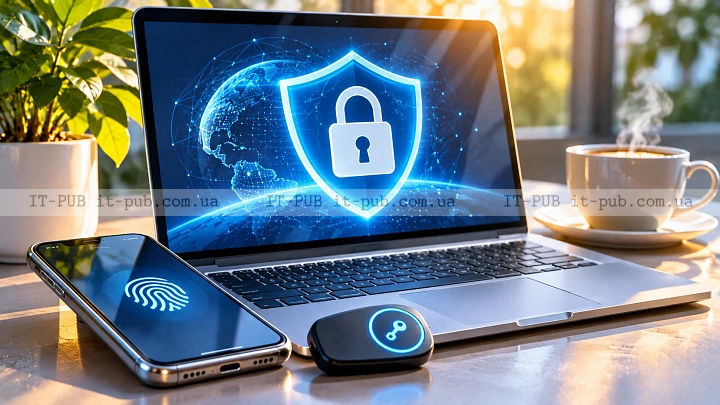
Digital privacy shapes almost everything you do online, from the websites you visit to the apps you install and the messages you send. It is not about disappearing from the internet. It is about keeping control of your personal information and cutting down on unnecessary exposure.
Once you understand the basics, using technology tends to feel a lot less uncertain. You do not need advanced technical skills to make meaningful improvements. In many cases, small habits are enough to strengthen your online privacy.
What digital privacy really means
Digital privacy is your ability to decide how personal information is collected, used, shared, and stored online. That can include your name, contact details, location, search history, browsing behavior, messages, photos, and device data.
It is easy to think privacy only matters after a breach, a scam, or some obvious misuse of data. In practice, it is part of ordinary digital life. Every account you open, every form you complete, and every app you allow onto your device can reveal something about you.
The point is not total invisibility. For most people, that is neither realistic nor necessary. The real aim is to reduce exposure, understand what you are sharing, and make informed choices about it.
Why online privacy matters for everyday users
Online privacy matters because personal data is often used in ways that are not immediately visible. Some of that is expected, like a site remembering your preferences. Some of it is far less obvious, such as data tracking across services or building detailed advertising profiles.
When internet privacy is weak, the risks grow. Information can be leaked, sold, misused, or combined with other data to reveal more than you meant to share. Even details that seem harmless on their own can become sensitive once they are linked together.
Privacy also protects a basic sense of freedom. People tend to act differently when they know they are being watched. Stronger personal data protection helps preserve room for private thinking, private communication, and private decisions.
How your data is collected online
Data collection happens in all kinds of routine ways. Some of it is direct. You type your email into a form, sign in to an account, or upload a photo. Other collection happens quietly in the background.
Websites often log technical details like your browser, device type, and approximate location. Apps may ask for access to your contacts, camera, microphone, or location services. Advertising systems can follow patterns across websites and apps to figure out what holds your attention.
Cookies and similar tools are part of this too. Some are useful because they keep you signed in or remember settings. Others are there mainly to track behavior over time. The important thing is to recognize that not all data collection is obvious from the surface.
Start with the information you share yourself
One of the easiest privacy improvements is to share less by default. People often give away more information than necessary because forms are long, privacy settings are buried, or the request seems harmless at the time.
Before posting personal details publicly, pause for a moment. A birthday, workplace, travel plan, or family photo may look minor on its own. Put together with other details, it can reveal far more about your life than you intended.
The same applies when creating accounts. If a service does not truly need a piece of information, leave it out. Fill in the fields that matter and skip the rest when possible. It also helps to keep personal and public identities separate across different services.
Passwords, account security, and privacy go together
Privacy and security are tightly connected. If someone gets into your account, they may gain access to private messages, files, contacts, and account settings. Good security is one of the most practical tools for protecting privacy.
Use a unique password for each important account. Reusing the same one across multiple services creates avoidable risk. If one site is compromised, other accounts may be exposed as well.
A password manager can make this much easier by generating and storing strong passwords safely. It also removes the temptation to fall back on simple, reusable passwords. Where it is available, multi-factor authentication adds another barrier by requiring a second step during login.
None of this makes an account untouchable. It does make unauthorized access much harder.
Privacy settings deserve regular attention
Most services offer privacy controls, but they are not always clear or easy to navigate. Default privacy settings often favor convenience, visibility, or data sharing rather than privacy. That is why it is worth checking them yourself.
Look at who can see your profile, posts, contact details, and activity. Review app permissions and connected services. Check whether location sharing is enabled and whether old devices still have access to your accounts.
It is also smart to revisit these settings after major updates. Platforms sometimes change defaults or introduce new options. A quick review can stop information from being shared more broadly than you expected.
Browsing more privately without becoming technical
Browsing the web leaves traces behind. Your browser stores history, cookies, and site data. Websites can use scripts and trackers to recognize returning visitors and measure behavior.
You do not need advanced tools to improve secure browsing. Start with the basics: clear unnecessary cookies, limit third-party tracking where you can, and review your browser privacy settings. Many browsers now include controls for blocking trackers, managing site permissions, and limiting how much data gets stored.
Private browsing modes can help in certain situations, but only to a point. They stop local history from being saved on the device after the session ends. They do not make you invisible to websites, internet providers, or employers. That difference matters.
For everyday use, a privacy-conscious browser setup is often enough to reduce routine tracking without making the web harder to use.
Think carefully about apps and permissions
Mobile apps often ask for more access than they really need. A flashlight app usually does not need your contacts. A basic game probably does not need your precise location. If a permission request feels excessive, it is worth stopping and looking more closely.
Check app permissions on your phone and turn off anything unnecessary. If an app works without location, microphone, or camera access, leave those permissions disabled. You can always switch them on later if a feature genuinely requires them.
It is also worth checking for apps you no longer use. Old apps can keep collecting data in the background if they still have permissions or remain connected to your accounts. Removing unused apps is a simple privacy habit with real value.
Public Wi-Fi and privacy in shared networks
Public networks are convenient, but they are not the best place for sensitive activity. On shared Wi-Fi, other people on the same network may be able to observe some traffic if a service is poorly configured. Even when a connection is protected, the network operator may still collect certain data.
If you can avoid it, do not sign in to important accounts or enter sensitive information on unfamiliar networks. If you have to use public Wi-Fi, check that the site uses a secure connection. HTTPS in the browser address bar helps protect data in transit.
A mobile hotspot or another trusted private network is often the safer option for confidential tasks. The basic rule is simple: treat open networks carefully.
Social media privacy is about more than profile visibility
Social platforms are built around sharing, but how much you share is still your choice. Privacy settings can limit who sees your posts, yet visibility is only one part of the picture. Platforms may also infer your interests, habits, and connections from how you use them.
Be cautious with tags, location check-ins, and public friend lists. Those details can reveal more than a single post does. Old posts can also stay visible long after you stop thinking about them.
It helps to look at your profile as if you were a stranger. That makes it easier to spot details you no longer want to expose. A regular cleanup can be useful, especially if your online habits have changed over time.
Email remains a privacy-sensitive channel
Email sits at the center of digital life because so many accounts and services depend on it. If someone gains access to your inbox, they may be able to reset passwords elsewhere. That makes email a high-value target.
Use a strong password and multi-factor authentication for your email account. Be careful with links and attachments, especially in messages that create urgency or pressure. Phishing attacks often rely on that pressure to trick people into revealing login details or approving fake requests.
It also helps to be selective about where you use your main email address. Separate addresses for newsletters, shopping, and important accounts can reduce clutter and make online privacy easier to manage. It will not remove all exposure, but it can make your digital life more manageable.
Data brokers and hidden sharing
Not every privacy risk comes directly from the websites you visit. Some companies collect, buy, and sell personal data through advertising and analytics systems. Much of this happens behind the scenes, often without a clear explanation.
The practical response is to reduce unnecessary sharing wherever you can. Avoid signing up for services you do not need. Read consent prompts carefully. Decline optional tracking when that choice is available. Use account and ad settings to limit profiling where possible.
You may not be able to stop all data collection. You can make it less extensive. In many cases, digital privacy basics come down to reducing how much information is available in the first place, not trying to achieve total control.
Simple habits that make a real difference
Good privacy usually comes from small, repeatable actions rather than one dramatic fix. Review permissions on your phone. Use unique passwords. Keep software updated. Be selective about what you post. Check the privacy settings on the services you use most.
Updates matter because they often close security gaps that could expose personal data. Device protection matters too, since a lost or unlocked device can reveal much more than a single account.
It helps to treat privacy as part of regular digital maintenance. A few minutes spent checking settings or removing old access can prevent much larger problems later.
Building a privacy mindset that lasts
The strongest privacy habit is awareness. Once you start noticing how data moves through websites, apps, and devices, it becomes easier to make better decisions. You do not need to avoid digital services altogether. You just need to use them more deliberately.
A useful way to think about it is to ask what a service actually needs, what it may collect in the background, and whether that trade-off feels acceptable to you. That approach works just as well for beginners as it does for more experienced users.
Digital privacy basics are not about fear. They are about control, clarity, and reducing unnecessary exposure. With a few steady habits, you can make your online life safer, calmer, and more private without turning it into a technical project.