Why two-factor authentication makes logins safer
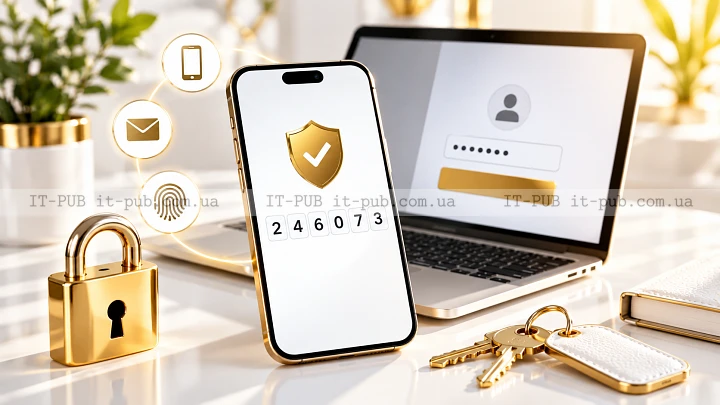
Two-factor authentication adds an extra check at sign-in, which makes it much harder for someone else to get into your account even if they already know your password. It’s one of the most practical ways to improve login security without turning everyday access into a hassle.
The concept is simple. The protection it adds is not. Once you understand how it works, it becomes easier to choose the right setup and use it with confidence.
What two-factor authentication actually does
Two-factor authentication, or 2FA, requires two different kinds of proof before access is granted. The first is usually something you know, like a password. The second is something you have or something you are, such as a phone, a security key, or a fingerprint.
That extra layer matters because passwords on their own are often too easy to compromise. They get guessed, reused across services, stolen through phishing, or exposed in data breaches. When that happens, 2FA can still stop someone from taking over the account.
It does not replace the password. It sits on top of it. A good way to think about it is as a second lock on the same door.
Why passwords are no longer enough
Strong passwords still matter, but they are only one part of account protection. A lot of account break-ins start with password reuse. If the same password is used on multiple sites and one of them is breached, attackers will often try those same credentials elsewhere.
Phishing creates another problem. A fake sign-in page can look real enough to convince someone to enter a legitimate password. Once that password is exposed, a second factor may be the only thing standing between the attacker and the account.
Even password managers, useful as they are, do not solve this by themselves. They help people create and store strong passwords, but they cannot stop a login if someone already has the right password. That is exactly where two-factor authentication earns its value.
How the login process works step by step
The flow is usually straightforward. First, you enter your username and password. If they are correct, the service asks for a second factor.
That second step might be a six-digit authentication code from a two-factor authentication app, a one-time code sent by text message, a prompt on a trusted device, or a physical security key that you plug in or tap. The service checks that second proof before finishing the sign-in.
The important part is separation. If someone steals a password, they still need something else entirely. That gap between the first and second step is what makes two-step verification effective.
The main types of second factors
Different services support different methods, and each comes with its own trade-offs.
An authentication code from an app is one of the most common options. The app generates a short-lived code on your phone, and you enter it during login. Because the code changes regularly, it is much harder to reuse than a static password.
Text message codes are also common. They are easy to understand, which is why many people start there. Still, they are generally less secure than app-based codes, since phone numbers can be targeted through SIM-swapping and other account takeover tactics.
Push prompts are another option. A service sends a sign-in request to a trusted device, and you approve or deny it. This is convenient, though it still depends on the security of the device receiving the request.
Security keys add another level of defense. These physical devices confirm your identity during login. They are especially useful for stronger phishing resistance because the key checks the real site, not just whether a code was entered.
Biometric checks, including fingerprints or face scans, may also be part of the process. In many cases, they are used to unlock a device or app that then serves as the second factor. The biometric itself usually is not what gets sent over the internet; it is local proof that unlocks access.
Why app-based authentication is often preferred
A two-factor authentication app is often a stronger choice than SMS. The main reason is that it does not depend on the mobile network in the same way. If someone can redirect a phone number or intercept messages, text-based codes may not offer enough protection.
With app-based authentication, the code is generated on the device itself. That reduces exposure to network-based attacks. Of course, the phone still needs to be protected with a passcode or biometric lock, because anyone who can open the device may also be able to see the authentication code.
For many people, this is the sweet spot. A two-factor authentication app is easy enough for daily use, but it still puts a meaningful obstacle in front of an attacker.
Where two-factor authentication helps most
Two-factor authentication is especially useful for email, cloud storage, banking, social media, and work accounts. These services often hold personal data, financial information, or access to other systems.
Email deserves special attention. Many services use it as the recovery path for password resets. If someone gets into your email, they may be able to reset passwords for other accounts as well. Protecting email with 2FA can strengthen the security of everything connected to it.
Work logins benefit too. In a business setting, one stolen password can open the door to internal tools, customer data, or sensitive documents. Adding a second factor lowers the chance that a single leaked credential turns into a broader incident.
What two-factor authentication cannot do
Two-factor authentication is strong, but it is not absolute protection. It does not make an account untouchable. Social engineering, malware, session theft, and fake approval requests can still get around weak habits or poor recovery settings.
If someone is tricked into approving a login prompt they did not initiate, the second factor can be bypassed. If a device is already infected with malware, an attacker may be able to intercept codes or access active sessions. And if recovery options are weak, an account may still be taken over through the back door.
That is why 2FA works best as one layer in a broader security setup. Strong passwords, device security, phishing awareness, and safe recovery settings still matter.
How to set it up without making life harder
Setting up two-factor authentication is usually not complicated. Most services place it in account security or privacy settings. You choose a method, verify it once, and save backup recovery codes if they are provided.
Those backup codes matter. If you lose your phone or security key, they may be the fastest way back into the account. Store them somewhere safe and separate from the device you use every day. A password manager or another secure offline location is often a sensible option.
If the service allows it, it also helps to register more than one trusted method. You might use a two-factor authentication app for daily sign-ins and keep a backup security key in reserve. That way, losing one device does not immediately lock you out.
Common mistakes that weaken protection
One common mistake is enabling 2FA and then ignoring recovery options. If access to the second factor is lost and there is no backup method, account recovery can become slow and frustrating.
Another is relying only on SMS when a stronger option is available. Text codes are still better than having no second factor at all, but they are usually not the best choice. If a service supports an app or security key, that is often worth using instead.
People also tend to approve login prompts too quickly. If a request appears out of nowhere, it should raise suspicion. A prompt you did not trigger yourself may mean someone else is trying to sign in.
And then there is password reuse. Two-factor authentication helps, but it does not excuse weak password habits. Both layers need attention.
How businesses benefit from it
For organizations, two-factor authentication is one of the most effective ways to reduce account compromise. It can protect employee access to email, internal tools, admin panels, and remote systems.
It also limits the fallout from credential leaks. If a password is exposed, the attacker still has to get past another barrier. That can stop a small mistake from becoming a larger breach.
For IT teams, the harder part is often adoption, not the technology itself. People need clear instructions, simple enrollment, and recovery options that actually work. If the process feels confusing, users may avoid it or look for workarounds. When it is implemented well, the extra step quickly becomes routine.
Two-factor authentication and multi-factor authentication
The two terms are closely related, but they are not exactly the same. Two-factor authentication means exactly two types of proof are used. Multi-factor authentication means two or more factors, which can include a password plus additional checks.
In everyday use, people often blur the distinction, and that is understandable. The main idea is the same: signing in requires more than one piece of evidence. What matters more is whether the second step is truly separate from the first and difficult for an attacker to copy.
Why it remains one of the best security upgrades
Two-factor authentication remains popular for a simple reason: the security gain is large compared with the effort required. It does not demand advanced technical knowledge, and it does not force people to completely change how they use their accounts. But it does block a wide range of common attacks.
That balance is rare. Some security measures are too weak to matter much. Others are strong but too inconvenient to use consistently. Two-factor authentication sits in a very practical middle ground.
For most people, the best move is to enable it on important accounts, choose app-based codes or security keys when possible, and keep recovery options safe. That gives you a solid balance between convenience and account protection.
Two-factor authentication will not solve every security problem. It does close one of the most common paths attackers rely on, though. And for most accounts, that is a very smart place to start.