Why Cloud Computing Matters and How It Works
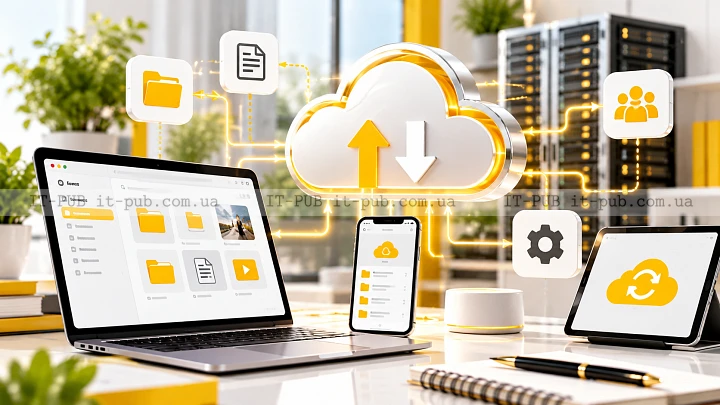
Cloud computing has become a core part of modern IT. It shapes how people store files, run applications, and build digital products. Instead of relying only on local devices or privately managed servers, users can access computing resources over the internet whenever they need them.
That shift sounds simple, but its impact has been huge. It has made technology more flexible, easier to scale, and often easier to manage. To understand why cloud computing matters, it helps to look at what it really is, how it works, and where it fits in day-to-day use.
What cloud computing actually means
At its simplest, cloud computing is the delivery of computing resources over the internet. That can include storage, servers, databases, software, networking tools, and other services. In practical terms, it means you do not always have to buy, run, and maintain the hardware yourself.
For one person, that might mean using cloud storage for photos or work files. For a business, it could mean using cloud infrastructure to run websites or internal systems. For a developer, it may involve using cloud platforms to build and test applications without setting up physical servers first.
The core idea is on-demand access. You use the resources you need when you need them, while the provider takes care of much of the underlying setup.
Why the cloud became so useful
Traditional IT often meant buying servers, installing software, setting up backups, and trying to predict future demand in advance. That model still has its place, but it can be costly and inflexible.
Cloud computing changes that. When demand grows, resources can often be expanded without replacing hardware. When demand drops, they can be scaled back. That makes cloud services appealing to startups, growing businesses, and large organizations alike.
It also lowers the barrier to entry. A small team can launch a digital product using tools that once required a far larger budget and a full in-house IT environment.
How cloud computing works behind the scenes
Cloud computing runs on remote data centers. These facilities contain servers, storage systems, networking equipment, and security controls. A provider manages that environment and delivers services through the internet.
When someone opens a cloud app or saves a file to cloud storage, the request is sent to those remote systems. The provider processes it and returns the result. From the user’s side, it feels straightforward. Behind the scenes, workloads may be spread across multiple machines to improve reliability and performance.
One of the technologies that makes this possible is virtualization. It allows a single physical server to support multiple virtual machines or services. That helps providers use hardware more efficiently and gives customers more flexible access to computing power.
The main cloud service models
Cloud computing is usually divided into three main service models. Each offers a different balance of control and convenience.
Infrastructure as a Service
Infrastructure as a Service, or IaaS, gives users access to core computing resources such as virtual servers, storage, and networking. The customer manages the operating system, applications, and data, while the provider manages the physical infrastructure.
This model works well when a team wants flexibility and control without owning hardware. It is commonly used for hosting applications, running development environments, and supporting workloads that need custom configurations.
Platform as a Service
Platform as a Service, or PaaS, provides a ready-to-use environment for building and deploying applications. The provider handles much of the infrastructure and runtime management, which lets developers spend more time on code and less on setup.
That can speed up development and reduce operational overhead. It is especially useful for teams that want to build software quickly without getting pulled too deeply into server administration.
Software as a Service
Software as a Service, or SaaS, is the model most people already use, even if they do not always think of it that way. In this setup, the provider delivers complete software over the internet, and users simply sign in and use it.
Email services, collaboration tools, and many business applications fall into this category. SaaS is popular because it removes the need for local installation and cuts down much of the maintenance work.
Public, private, and hybrid cloud explained
Cloud computing is also described by deployment model. These terms explain who uses the environment and how it is managed.
A public cloud is shared infrastructure operated by a third-party provider and delivered over the internet. Many customers use the same underlying environment, but their data and workloads remain separate.
A private cloud is dedicated to a single organization. It may be hosted on-site or run by a provider, but the infrastructure is reserved for that one organization. That can allow for more control and customization.
A hybrid cloud combines public and private environments. Some workloads stay in one, while others run in the other. This can make sense for organizations that want flexibility but still need tighter control over certain systems.
What cloud computing is used for
Cloud computing supports a wide range of personal and business tasks. For individuals, it can mean storing photos, backing up phone data, or using online office tools. For companies, it may involve running websites, hosting customer databases, supporting remote work, or analyzing large amounts of data.
It is also a standard part of software development. Teams can create test environments, deploy updates, and manage application workloads without waiting for physical hardware to be installed.
Disaster recovery is another common use. Because data and systems can be stored or duplicated in the cloud, many organizations use cloud services to strengthen backup and recovery planning.
The practical benefits of cloud computing
Flexibility is one of the biggest advantages of cloud computing. Resources can be adjusted as needs change, which helps organizations avoid buying too much infrastructure or running short when demand rises.
Accessibility matters too. People in different locations can work with the same files, applications, and systems, as long as permissions are set correctly. That has made cloud tools especially valuable for distributed teams.
There is also the speed factor. Instead of waiting to buy and configure hardware, teams can often start using services much faster. That can shorten project timelines and make testing new ideas easier.
Maintenance is often simpler as well. The provider handles much of the physical infrastructure, including hardware replacement, data center operations, and many platform updates. That does not eliminate IT work, but it can reduce a large part of it.
The trade-offs you should understand
Cloud computing is useful, but it is not automatically the right fit for every situation. One obvious trade-off is dependence on internet access. If connectivity is weak or unavailable, cloud-based tools can become difficult to use.
Control is another consideration. With cloud services, some technical decisions sit with the provider. That can be helpful, but it may also limit customization compared with systems managed fully in-house.
Security and privacy also need careful attention. Providers usually offer strong security features, but customers still have responsibilities. Access control, password management, data classification, and configuration choices all play a role. A secure setup in the cloud is a shared effort.
Cost deserves close attention too. Cloud services can be efficient, but usage-based pricing can become expensive if resources are left running unnecessarily or if storage and data transfer grow without planning.
Cloud security in simple terms
Cloud security is the set of tools and practices used to protect cloud-based systems and data. It includes identity management, encryption, network protections, monitoring, and backup planning.
A helpful way to think about it is shared responsibility. The provider secures the cloud platform itself, while the customer is responsible for what they put into it and how they configure and use it. The exact split depends on the service model, but the principle stays the same.
If a company stores documents in cloud storage, for example, it still needs to decide who can access them, how they are shared, and whether sensitive files need extra protection. Good cloud security is rarely about one magic tool. It is usually about consistent discipline.
Cloud computing for everyday users
Cloud computing is not limited to large organizations. Most people use it all the time, often without thinking much about it. Online email, file syncing, photo backups, streaming platforms, and collaboration apps all depend on cloud infrastructure in one form or another.
For individuals, the main benefits are convenience and continuity. Files stay available across devices. Data is less likely to vanish if one device fails. Applications can be updated centrally with very little effort from the user.
Still, account security matters. A cloud account often opens access to a large amount of personal data, so strong authentication is important.
Cloud computing for businesses and IT teams
For businesses, cloud computing can support faster growth and more adaptable operations. A new service can start small and expand as demand increases. Internal teams can work together on shared platforms. IT departments can spend less time on physical maintenance and more time on planning and improvement.
For IT teams, the cloud also changes how systems are designed. Applications are often built to be more modular, resilient, and automated. Monitoring, configuration management, and backup processes become just as important as the servers themselves.
That does not mean traditional IT skills disappear.
They evolve. Networking, security, storage, and system administration still matter, but they are applied in a different environment.
Common cloud computing challenges
Even well-planned cloud projects can run into trouble. Migration is one of the biggest challenges. Moving data and applications from older systems into cloud services can be complicated, especially when the original environment is poorly documented.
Governance is another issue. When cloud adoption grows quickly, different teams may start creating their own accounts and services. Without clear rules, costs can rise and security risks can grow with them.
Performance can vary too, depending on service design and network conditions. Cloud systems are powerful, but they still need thoughtful architecture to perform well under load.
Vendor dependence is worth thinking about as well. If a business becomes heavily tied to one provider, switching later may be difficult. That is why portability and exit planning matter in long-term cloud strategy.
How to approach cloud computing wisely
A good cloud strategy starts with clear goals. Not every system needs to move to the cloud, and not every cloud service is right for every workload. Some applications benefit from flexibility. Others may require tighter control or specific compliance conditions.
It helps to match the service model to the task. SaaS can be a strong fit for standard business functions. PaaS can support faster software development. IaaS may suit teams that want more control over their environment.
It is also smart to plan for security, backup, and cost management from the beginning. Cloud adoption works best when it is treated as part of a broader IT strategy, not just as a convenient shortcut.
Cloud computing is now a normal part of how digital services are built and used. Its value comes from making computing resources easier to access, scale, and manage. For many people and organizations, that flexibility is the real advantage.
Used thoughtfully, cloud computing can support better collaboration, faster delivery, and more resilient systems. Used without structure, it can create waste and confusion. The difference usually comes down to understanding the basics and making deliberate choices.