When to Use a VPN in Everyday Situations
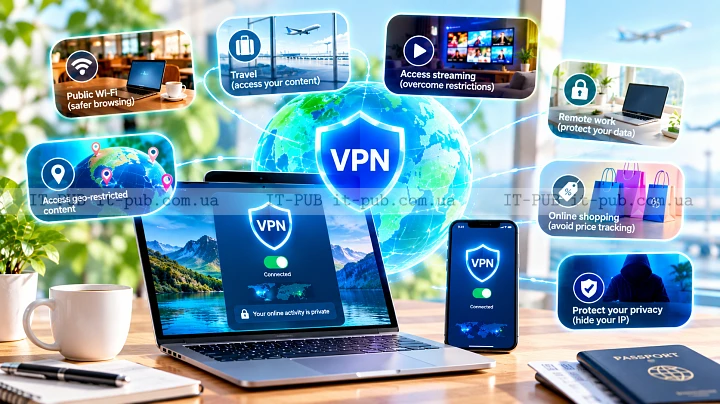
When to use a VPN is less of a technical question than it sounds. In real life, it comes down to context. A VPN can make your connection more private and more secure in certain situations, but it is not something everyone needs for every task. The useful part is knowing where it helps and where it really does not.
People often describe a VPN as a private tunnel for internet traffic. That is a decent starting point, but it only tells part of the story. What matters more is when that encrypted connection actually gives you an advantage at home, at work, or on the road.
What a VPN actually does
A VPN, or virtual private network, sends your internet traffic through an encrypted connection before it reaches the website or service you are using. That makes it harder for other parties to read your data while it moves across the network.
It also masks your IP address from the sites you visit and from the network you are connected to. In practice, that means less visibility for local networks, internet providers, and some types of tracking. It does not make you invisible online, and it does not replace basic security habits. What it does is add another layer of protection.
It is also worth being clear about what a VPN is not. It is not antivirus software, and it will not scan files for malware or block every phishing attempt. It works best as one part of a broader internet security setup, not as a complete defense on its own.
Use a VPN on public Wi-Fi
If you want one of the clearest answers to when to use a VPN, start with public Wi-Fi. Airports, hotels, cafes, and other shared networks are convenient, but they are not environments you should automatically trust.
A VPN for public Wi-Fi helps by encrypting your connection before data leaves your device. That matters when you check email, sign in to work systems, open cloud documents, or do anything else that involves sensitive information. Even on a legitimate network, you may not want your browsing or account activity exposed more than necessary.
This does not mean every public hotspot is dangerous. It means the risk is simply higher than on a home network you control, and an encrypted connection is often a sensible extra step.
Use a VPN for remote work and business access
Remote work is another very common case. Many companies rely on VPNs so employees can connect to internal systems from outside the office. In that setup, the point is not really to hide browsing habits. It is to provide secure remote access and keep communication with company resources safer.
If your job involves internal dashboards, private tools, or company files, a VPN can reduce unnecessary exposure. It can also support access rules that are easier for IT teams to manage. That is one of the most established uses of VPN technology.
For individual employees, the takeaway is simple. If your employer gives you a VPN, use it the way they expect you to. If your work involves private business data, it may be a required part of the workflow rather than an optional privacy tool.
Use a VPN when privacy matters
A lot of people use a VPN for privacy online, and that makes sense. Without one, your internet provider can usually see which services you connect to, even if the contents of encrypted websites are not fully visible. Shared networks can also collect connection details.
A VPN reduces that visibility by placing your traffic inside an encrypted tunnel. That can be useful if you want to limit how closely your browsing is tied to your local network or provider. It matters most when you are researching sensitive topics, managing personal finances, or just trying to keep more of your activity out of plain view.
Still, privacy has limits. A VPN does not stop a website from recognizing you when you sign in. It does not erase cookies, device fingerprints, or account history. If stronger privacy is the goal, you still need sensible browser settings, careful account use, and a clear idea of what you share online.
Use a VPN while traveling
Travel is another situation where the question comes up naturally. When you move between hotels, airports, and unfamiliar mobile or local networks, your connection becomes less predictable. A VPN can give you a more consistent and safer path to the services you already use.
That can be especially helpful if you need access to work tools, banking, or personal accounts while away from home. It may also help if a hotel or airport network feels unreliable or if you simply want more privacy online while moving between locations.
In some places, certain sites or apps may be restricted. A VPN can sometimes help bypass geo-restrictions and reach services you normally use, but that does not remove the need to follow local laws or the service terms involved. A VPN is a tool for security and privacy, not a free pass to ignore the rules.
Use a VPN for safer file sharing and cloud access
If you regularly upload, download, or sync files, a VPN can add protection to that traffic. This is particularly useful when you work from different places or handle documents that should not be exposed on open networks.
Many cloud platforms already use encryption, but a VPN adds another layer between your device and the wider internet. That can be worthwhile when you are sending files from a laptop on a shared network or connecting through a connection you do not fully trust.
For most people, this is not about extreme secrecy. It is simply about reducing the number of points where data might be observed while it is in transit.
When a VPN is less useful
A VPN is not always necessary. If you are at home on a network you trust and you are browsing ordinary websites, the benefit may be fairly limited. Many modern websites already use HTTPS, which encrypts the connection between your browser and the site. That is already a strong baseline for internet security.
A VPN also will not solve weak passwords, a hacked account, or a malicious app on your device. If your main goal is account protection, strong passwords and multi-factor authentication often matter more than whether the VPN is turned on.
There is also the performance trade-off. A VPN can slow your connection a bit, depending on the service and the route your traffic takes. For casual browsing, that may be barely noticeable. For gaming, large downloads, or other latency-sensitive tasks, it can matter more.
How to decide whether you need one
The easiest way to decide when to use a VPN is to look at the situation in front of you. Are you on a shared network? Handling sensitive data? Traveling? Working outside the office? If the answer is yes, using a VPN is often the safer move. If you are at home doing low-risk browsing, you may not need it.
A simple rule works well here: use a VPN when the network is unfamiliar, the data matters, or the connection should stay private. That covers most of the everyday cases where it adds real value.
It also helps to ask who controls the network. On a personal connection you trust, the need is lower. On a shared, managed, or unfamiliar network, the need goes up quickly. That one distinction answers a surprising number of VPN questions.
What to look for in a VPN service
If you decide to use one, pick a service that feels trustworthy and is easy to live with. A good VPN should be stable, clear about how it handles data, and simple enough that you will actually keep using it when needed.
Look for strong encryption, a privacy policy you can understand, and apps that work well on the devices you use most. Reliability matters just as much as feature lists. If a VPN disconnects often or makes normal browsing frustrating, people tend to stop using it at the exact moments it would help most.
It is also worth checking whether the provider keeps connection logs, what data it collects, and how well it supports your platform. The best option depends on how you use it. A frequent traveler, a remote worker, and someone who only wants extra protection on public Wi-Fi may not be looking for the same thing.
Common mistakes people make with VPNs
One of the most common mistakes is expecting a VPN to make everything safe. It will not. You still need to avoid suspicious links, keep software updated, and use strong passwords.
Another is leaving it off in the situations where it matters most because turning it on feels like a hassle. If you regularly use public Wi-Fi, the habit is more important than occasional perfect usage.
People also sometimes expect a VPN to fix buffering, repair a poor connection, or make every website faster. That is not really its job. The main value is privacy, controlled access, and a more secure connection in the right situations.
A simple way to think about VPN use
The easiest way to think about a VPN is as a tool you switch on when a connection deserves extra protection. It makes sense when you do not fully trust the network, when you want more privacy online, or when work requires secure remote access.
You do not have to run it constantly to get the benefit. In many cases, selective use is the smarter approach. Turn it on when the situation calls for it, and keep the rest of your security habits in place all the time.
That is usually the most practical view. A VPN is not magic, and it is not useless either. Used at the right moments, it is a straightforward, effective part of safer everyday internet use.